100% Tenant Data Isolation
Keep every ticket, conversation, and attachment securely within your SharePoint environment and Azure storage boundary.

Microsoft Teams Ticketing System with Multilingual Support
Manage IT requests, automate ticket routing, and track SLAs directly in Microsoft 365. SteadyPoint Helpdesk brings your SharePoint helpdesk and Microsoft Teams ticketing system together in one place, while keeping all ticket data and attachments inside your own Microsoft tenant—with no per-agent monthly fees or third-party cloud hosting.
Verified By


Keep every ticket, conversation, and attachment securely within your SharePoint environment and Azure storage boundary.
Get predictable pricing without the recurring monthly costs that come with paying for every support agent or technician.
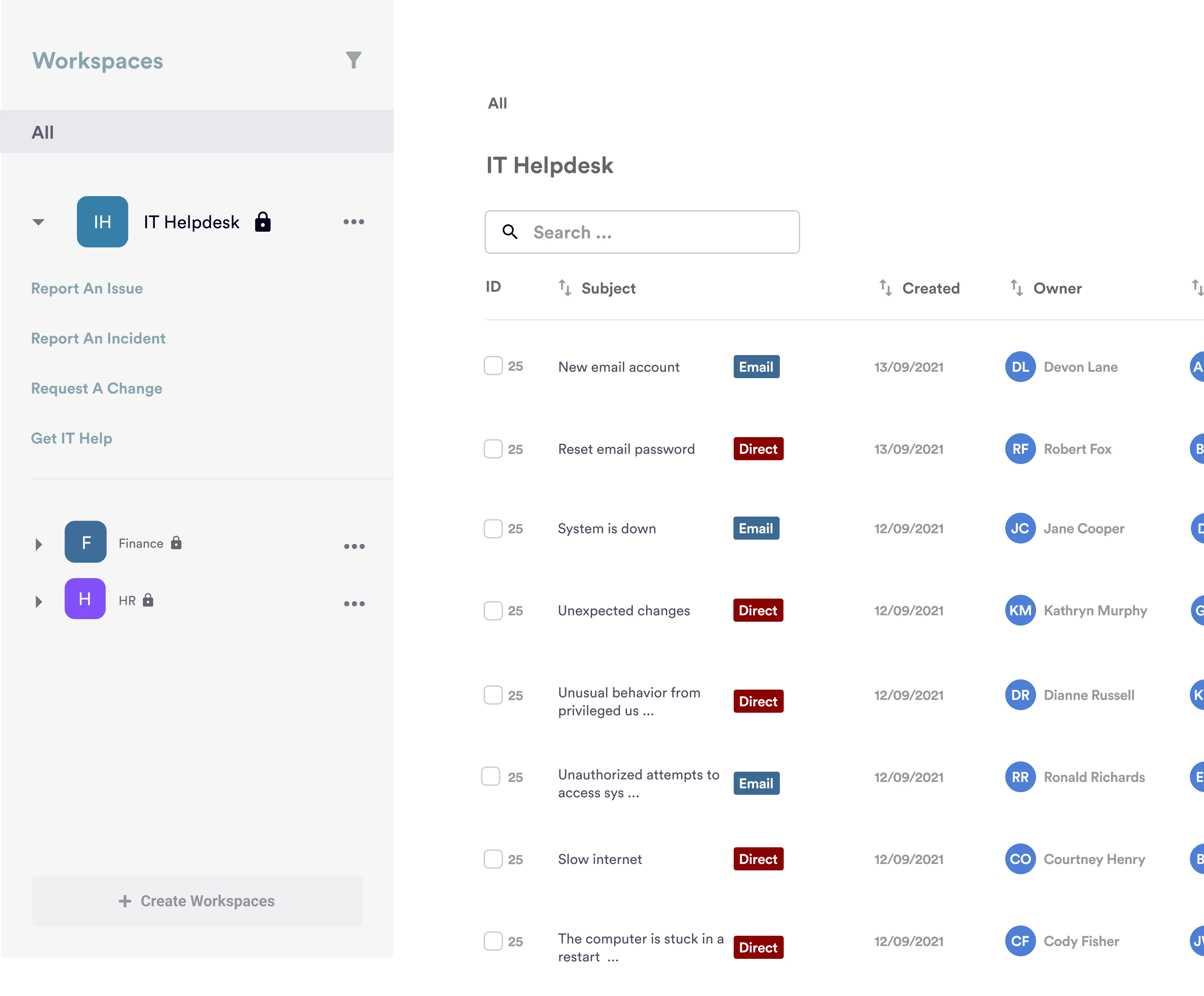
Give employees an easy way to submit tickets and support teams a simple way to manage requests directly in Teams. With a SharePoint helpdesk and Microsoft Teams ticketing system built into Microsoft 365, everything stays in one familiar environment.
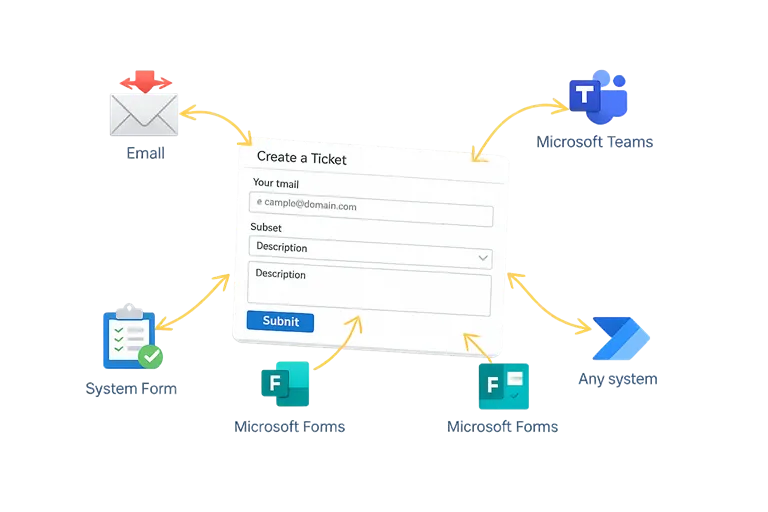
Make it easy for users to submit support requests wherever they already work. SteadyPoint Office 365 Helpdesk turns emails and SharePoint portal requests into actionable tickets, while also working as a Microsoft Teams ticketing system. It gives your team a complete SharePoint helpdesk experience, all within Microsoft 365.
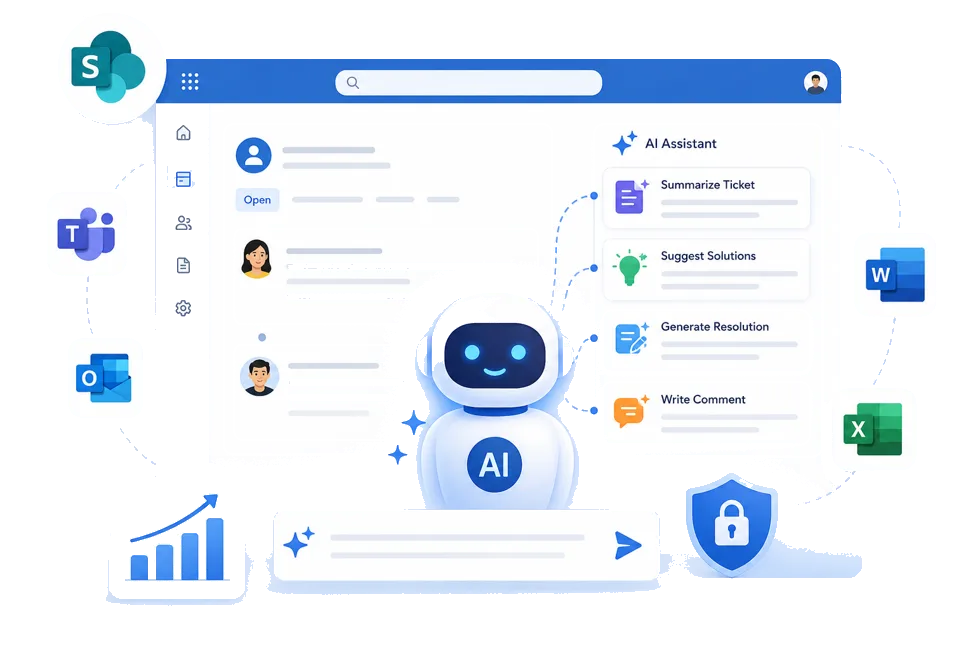
Work faster with an AI-powered Office 365 helpdesk that helps agents summarize tickets, suggest solutions, generate resolution details, and write professional comments.
Built into your SharePoint ticketing system, these AI tools help teams resolve requests faster while keeping everything within Microsoft 365.
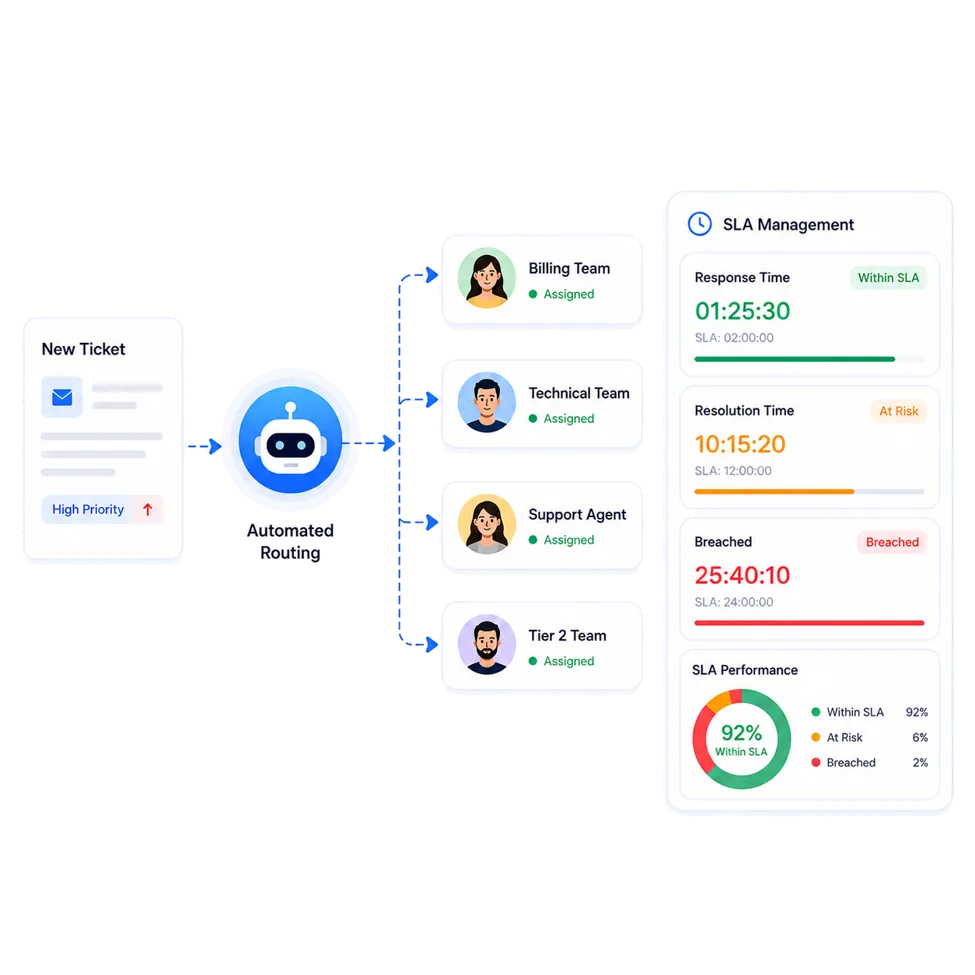
Keep support requests moving with automated ticket routing and SLA tracking. Assign tickets based on category or department — all within your SharePoint helpdesk and SharePoint ticketing system.
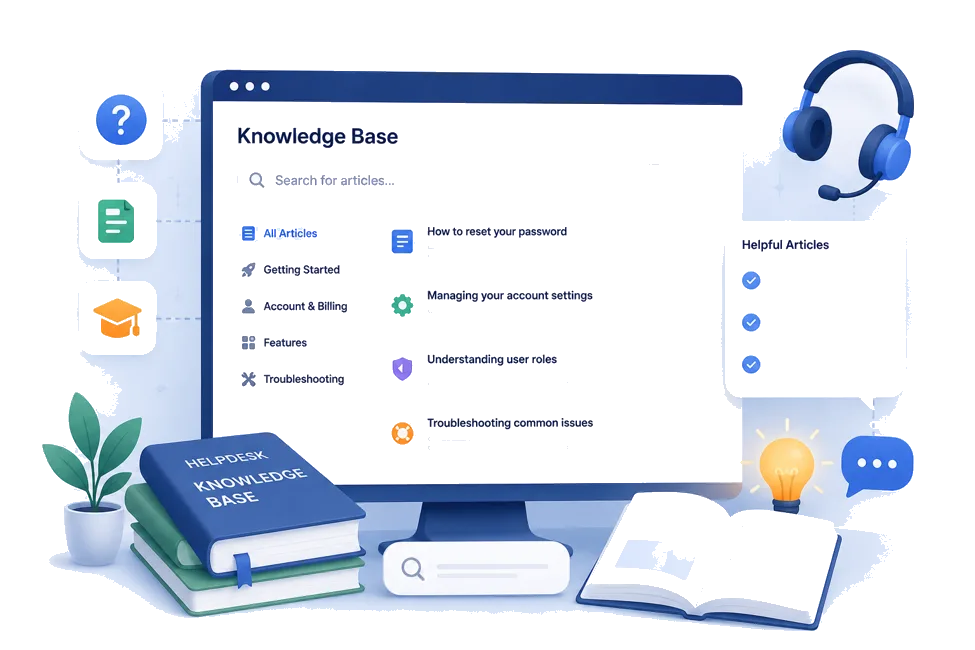
Help users find answers faster with a centralized knowledge base built into your Office 365 ticketing system. Give employees quick access to common solutions and support information, while reducing repetitive tickets.
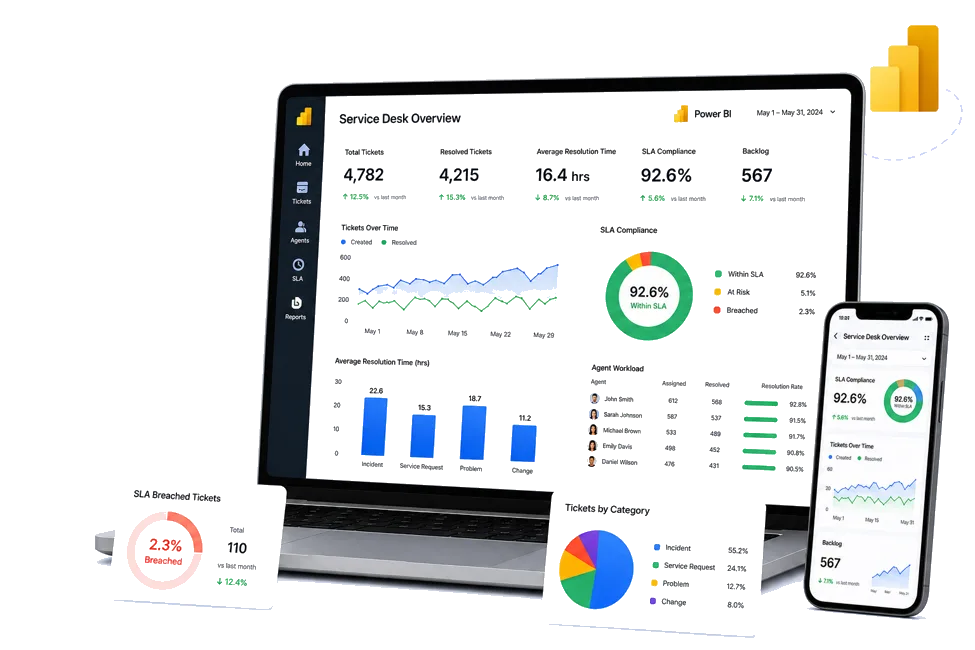
Get a clearer view of your support performance with Power BI and your Office 365 helpdesk data. Track ticket volume, resolution times, SLA performance, and agent workload to understand what's working and where your support team can improve.
Watch the complete installation walkthrough for SteadyPoint Helpdesk, or follow the step-by-step install guide.

Build a custom problem catalog based on real user issues. Organize it into up to four levels.
Learn about Problem Catalog
Set user roles with a four-level hierarchy across your teams.
Learn about User Hierarchy
Route tickets manually or through automation rules to get requests to the right team faster.
Learn about Automatic and Manual Routing
Let users open tickets by email without logging into the portal, making support easier with your SteadyPoint Office 365 helpdesk.
Learn about Open Tickets via Email
Use reminders and escalations to keep SLA targets on track.
Learn about Reminders & Escalations (SLA)
Publish articles and guides so users can find answers and solve common issues faster.
Learn about Knowledge Base
Get notified when new tickets are created in your SteadyPoint SharePoint ticketing system.
Learn about Stay on Top of New Tasks
Track ticket activity to see progress and ownership at a glance.
Learn about Never Miss an Activity
Configure reminders and escalations so teams know exactly when action is needed.
Learn about Meet Your Deadlines
Use working calendars that match each team's local schedule.
Learn about Multiple Working Calendars
Manage users, settings, and application data from one place and configure your SteadyPoint Office 365 ticketing system to fit your team's needs.
Learn about Admin Center
Customize ticket forms with the fields your team needs in your SteadyPoint SharePoint helpdesk.
Learn about Customizable Ticket Templates
Access clear reports on tickets and overall support performance.
Learn about Reporting Tools
Automatically close resolved tickets when users do not reply.
Learn about Tickets Auto-CloseComparison
| Capability | SteadyPoint Helpdesk | Traditional Ticketing Tools |
|---|---|---|
| Microsoft Teams | Create and manage tickets directly in Teams with your SteadyPoint Office 365 ticketing system. | Often requires additional tools or switching between apps. |
| Pricing | Flat application pricing with no monthly per-agent fees. | Usually charges a monthly fee for each support agent. |
| Data Storage | Keep ticket data and attachments inside your Microsoft 365 tenant using SharePoint Online and Azure. | Data is often stored on third-party vendor clouds. |
| Authentication | Use your existing Microsoft Entra ID and MFA. | May require third-party credentials or identity providers. |
| Setup | Quick to deploy within your existing Microsoft 365 environment. | May require additional integrations and setup. |
Compare plans, review features, or follow step-by-step guides to set up your SharePoint helpdesk in Microsoft 365.