No need to go to the Helpdesk app in web browser, just work from one interface in Microsoft Teams Helpdesk app to create, edit, and collaborate on your tickets.
In this guide, we will walk you through how to add your SteadyPoint SharePoint Helpdesk to Microsoft Teams.
Using Microsoft Teams? Helpdesk fits right in. 👉 Book a demo to see how it works inside Teams.
How to Integrate SteadyPoint SharePoint Helpdesk with Microsoft Teams
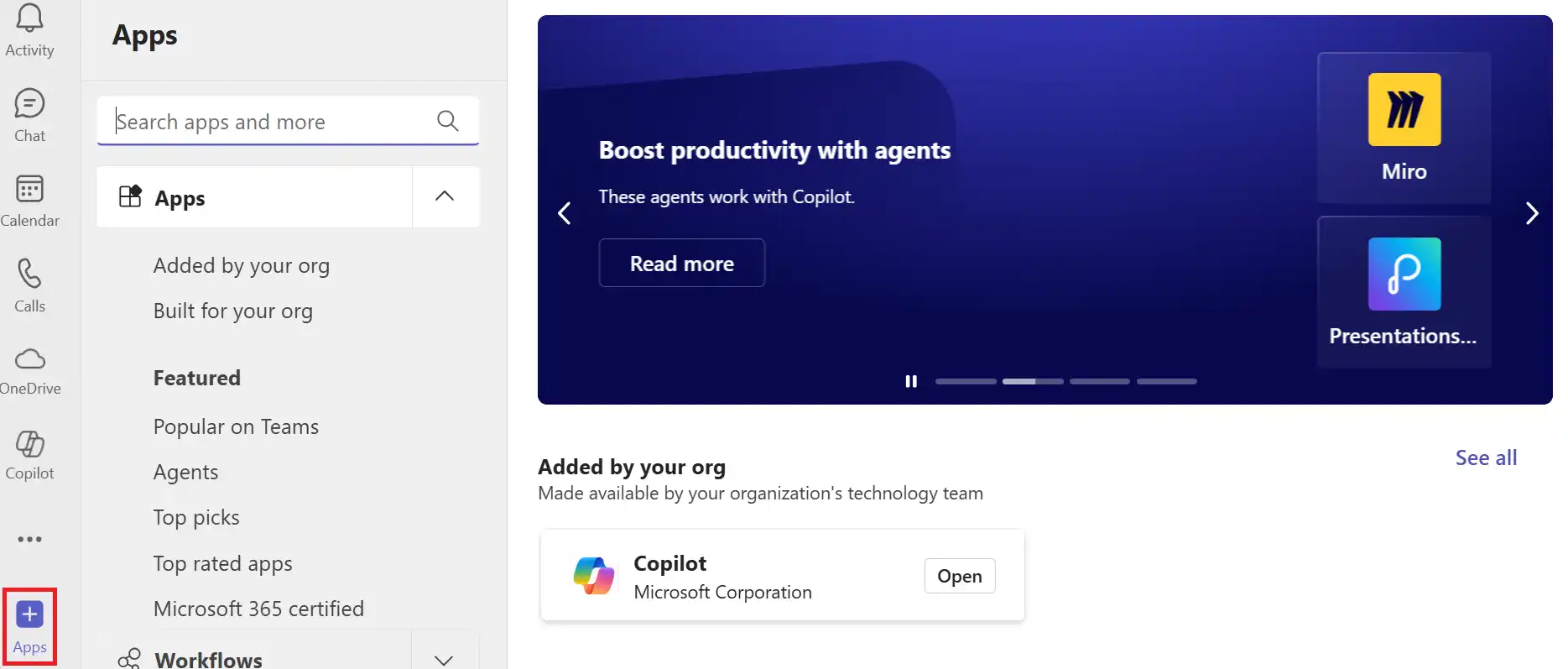
- Go to Apps in Microsoft Teams
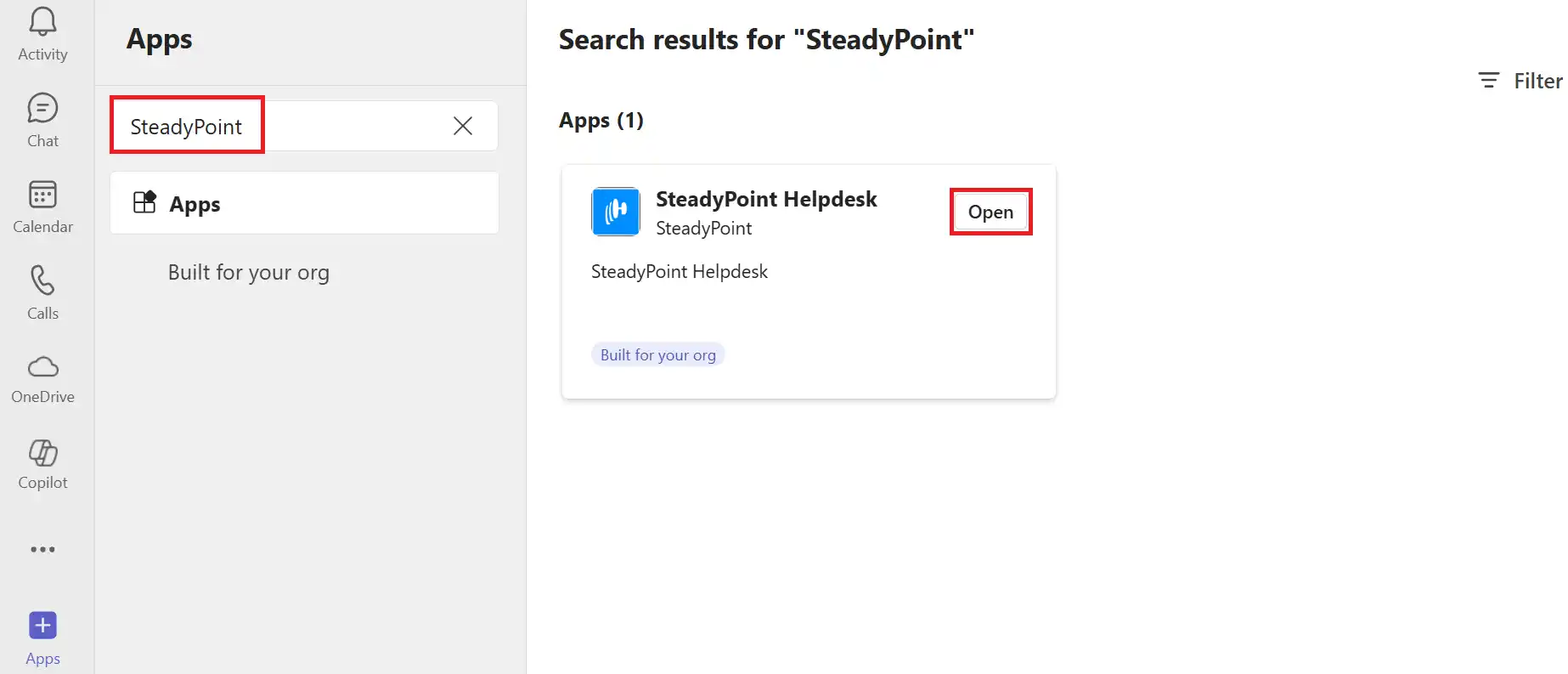
- Search for SteadyPoint Helpdesk and click Open.
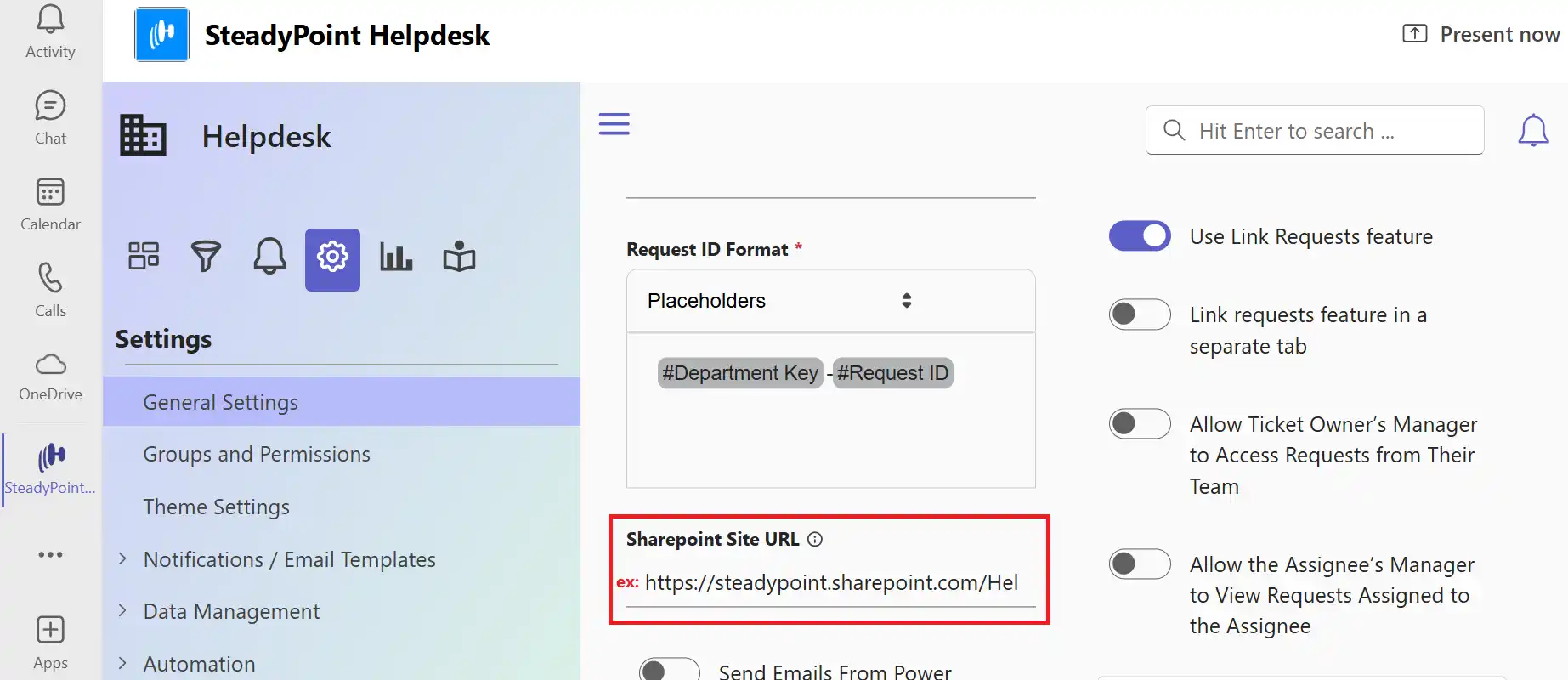
- In the app, go to Settings > General Settings.
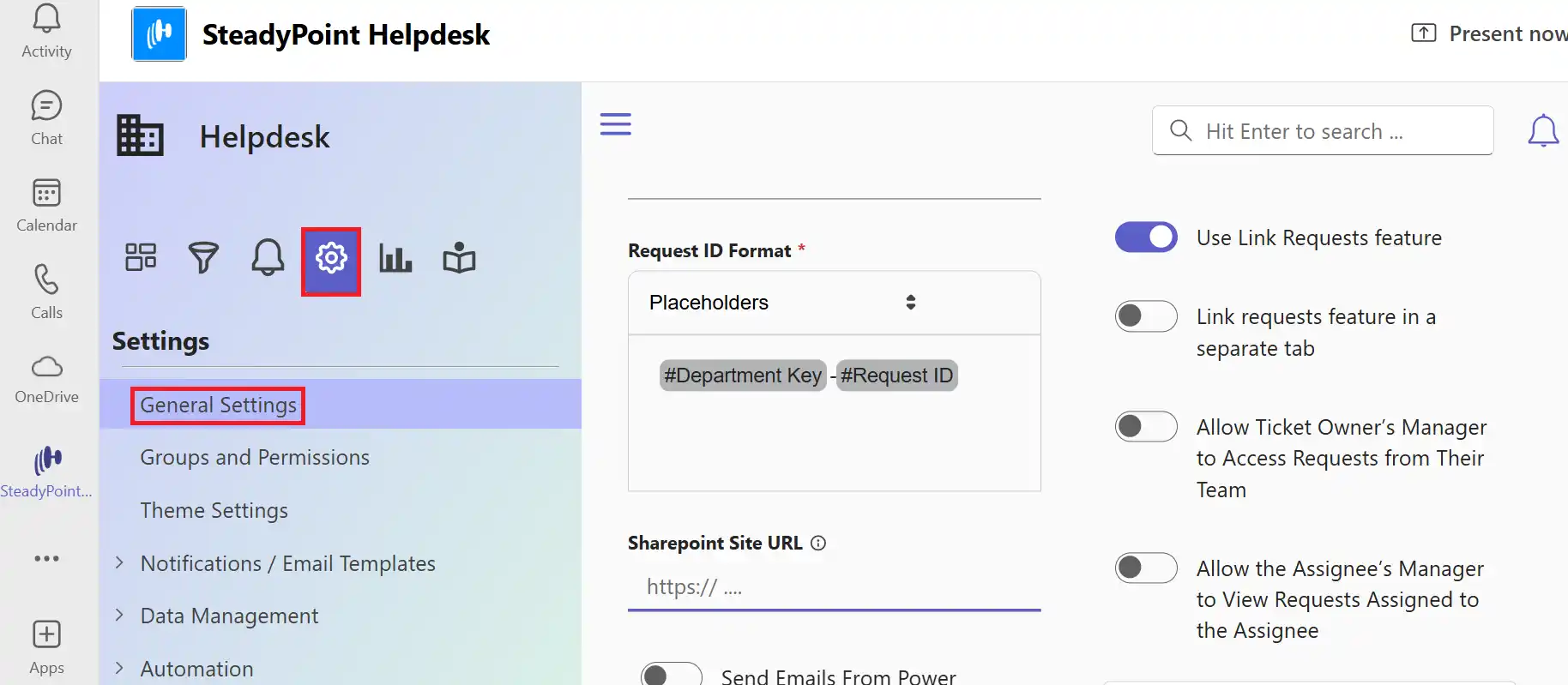
- Enter your SharePoint site URL and Save.
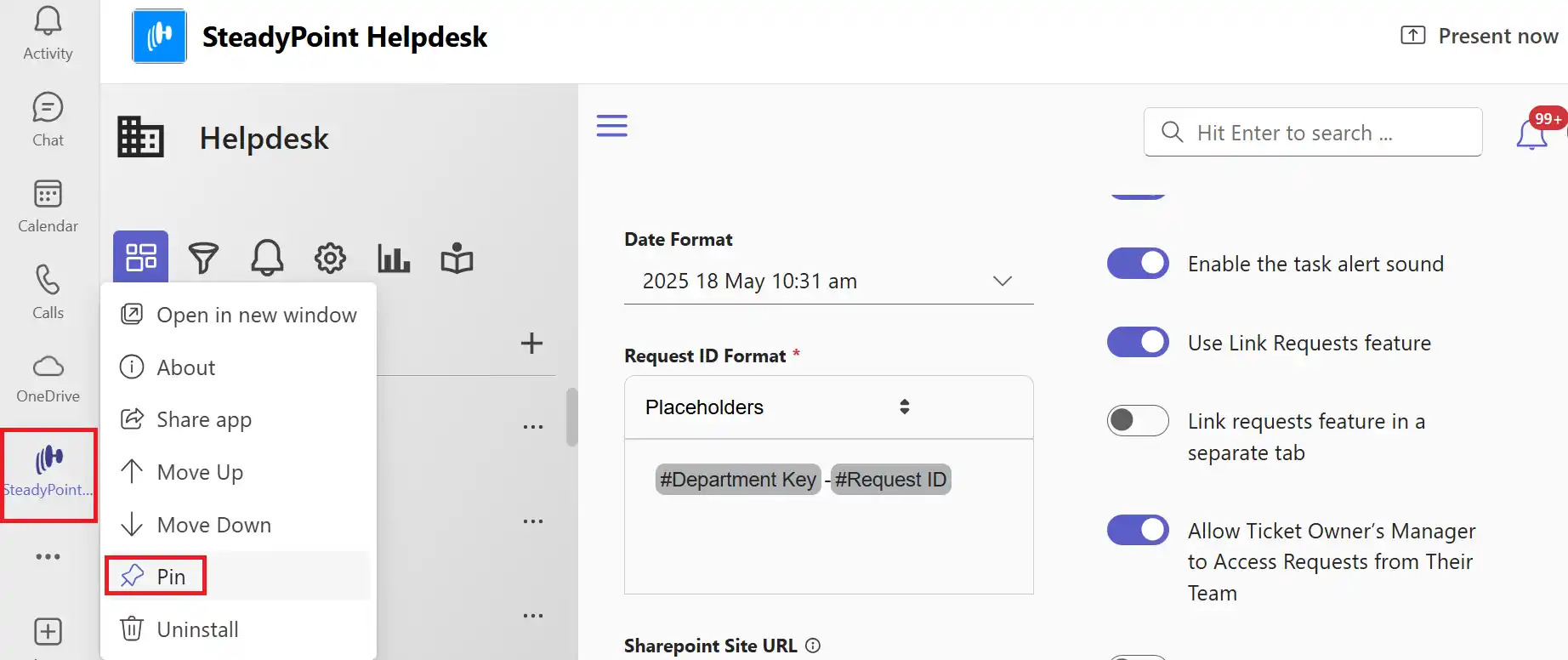
- Right-click the SteadyPoint Helpdesk icon in the sidebar and select Pin to keep it in your navigation.