
Asset Registry
SharePoint Asset Management App for Microsoft 365 & Teams
Centralize IT hardware, software licenses, equipment bookings, and maintenance logs directly inside your Microsoft 365 tenant—fully integrated with your IT Service Desk.
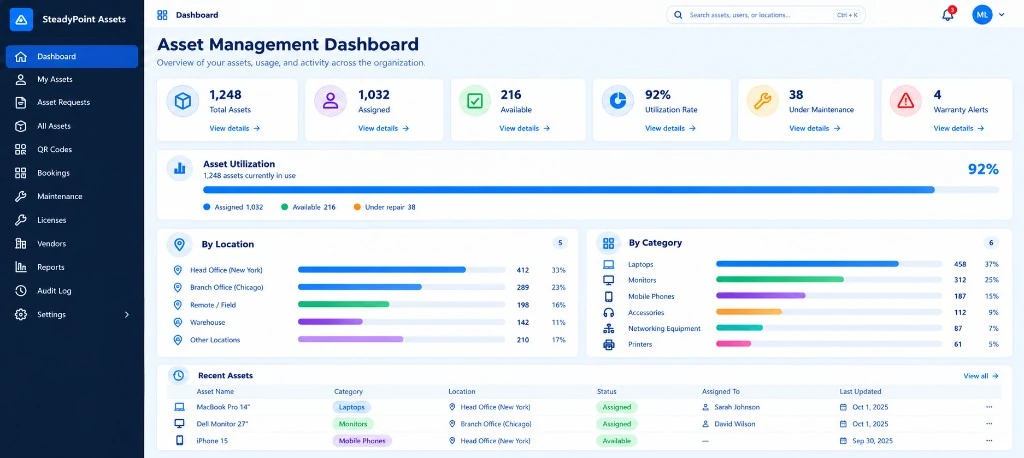
QR Scanning
License Tracking
Equipment Requests
Maintenance Logs
Verified By


- 30 days free trial
- No credit card required
- Built for SharePoint Online and Microsoft Teams
- Power Automate integration
- Your data stays in your Microsoft 365 environment — no external storage
SharePoint ITAM App
Why SteadyPoint SharePoint Asset Management App?
100% Microsoft 365 Data Residency
Keep all asset records, audit trails, and attachments securely within your SharePoint tenant. Your data stays in your Microsoft 365 environment, giving you greater control and visibility.
Seamless Helpdesk Integration
Connect IT assets directly to helpdesk tickets for a complete view of incidents, affected equipment, and support history—all in one place.
No Per-Agent Fees
Manage your IT assets without per-user or per-agent costs. Our SharePoint Asset Management solution uses simple tenant-based licensing, allowing unlimited IT asset managers and employees to access the system.
Built for Microsoft 365
Use a SharePoint ITAM App that works within the Microsoft 365 environment you already know, making it easy to manage hardware, software, and asset records without adding another standalone system.
Helpdesk Connection
Connected ITAM: Bridge IT Asset Management with Your Service Desk
IT hardware issues rarely happen in isolation. When an employee reports a faulty laptop or software issue, support teams need easy access to the right asset record and its history. SteadyPoint Assets connects with SteadyPoint Helpdesk through Microsoft 365 and Power Automate, making it easier to connect IT assets with support tickets without moving away from your existing Microsoft 365 environment.
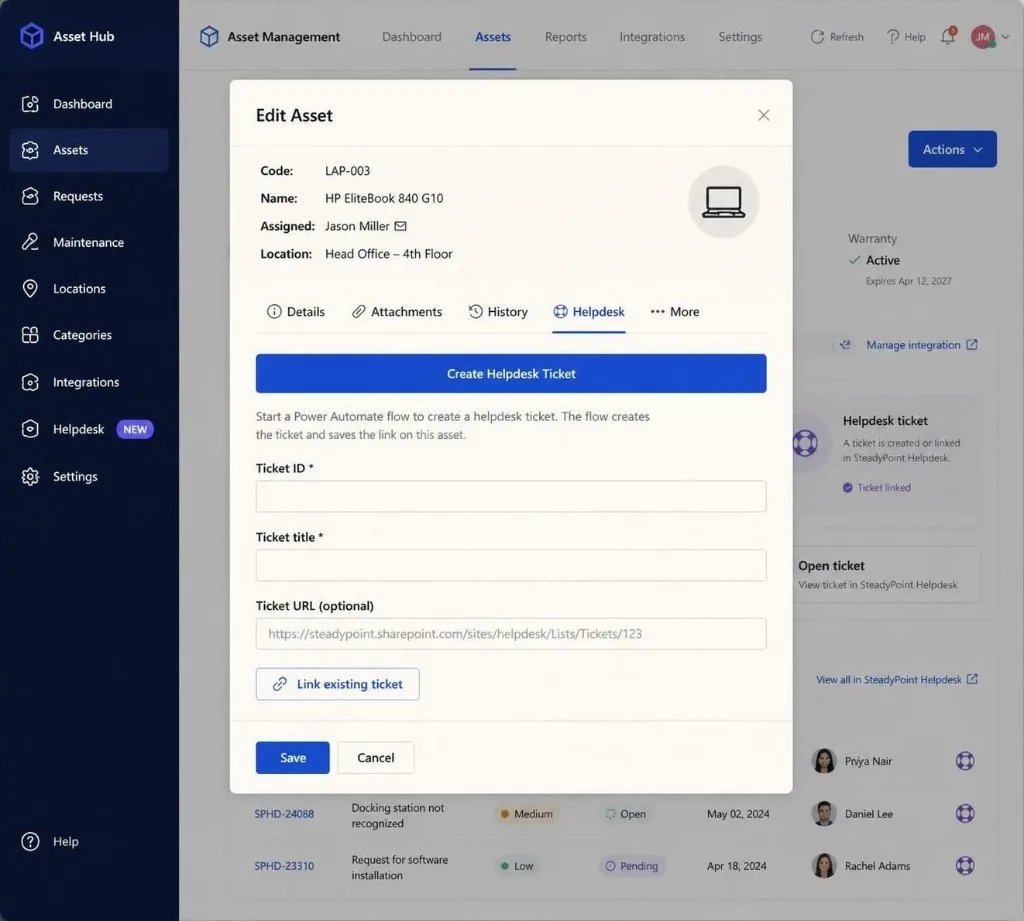
Link Assets to Helpdesk Tickets
Create or link Helpdesk tickets directly from an asset record. Asset managers can manually link an existing ticket or use Power Automate to create a Helpdesk ticket when needed.
Access Related Tickets from Asset Records
Open related Helpdesk tickets directly from the asset record, making it easier to follow the support history associated with a specific device or IT asset.
Keep Asset Information in One Place
Manage maintenance records, warranty details, vendor information, and asset assignments within SteadyPoint Assets.
Simplify Asset Requests and Assignments
Manage equipment requests, assignments, and unassignments through the Assets workflow, helping you keep employee and device records up to date throughout the asset lifecycle.
With SteadyPoint Assets, you get a SharePoint Asset Management solution and Microsoft 365 Asset Tracker that works alongside your Helpdesk. As a SharePoint ITAM App, it keeps asset information within your Microsoft 365 environment while providing a clear connection between assets and support tickets.
Capabilities
Key Features of SteadyPoint SharePoint Asset Management Solution
Manage hardware, software, maintenance, and equipment from one centralized SharePoint Asset Management solution built for Microsoft 365.
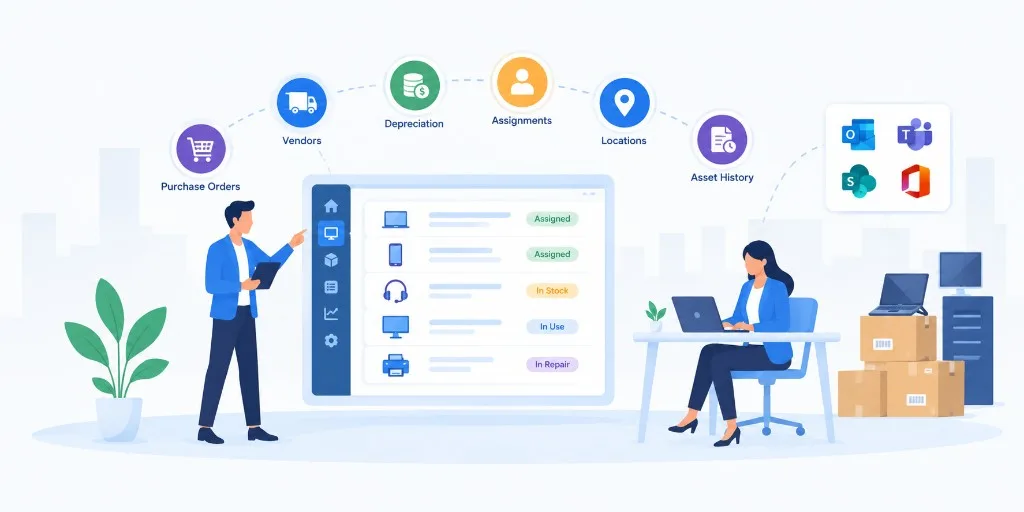
Asset Registry & Lifecycle Tracking
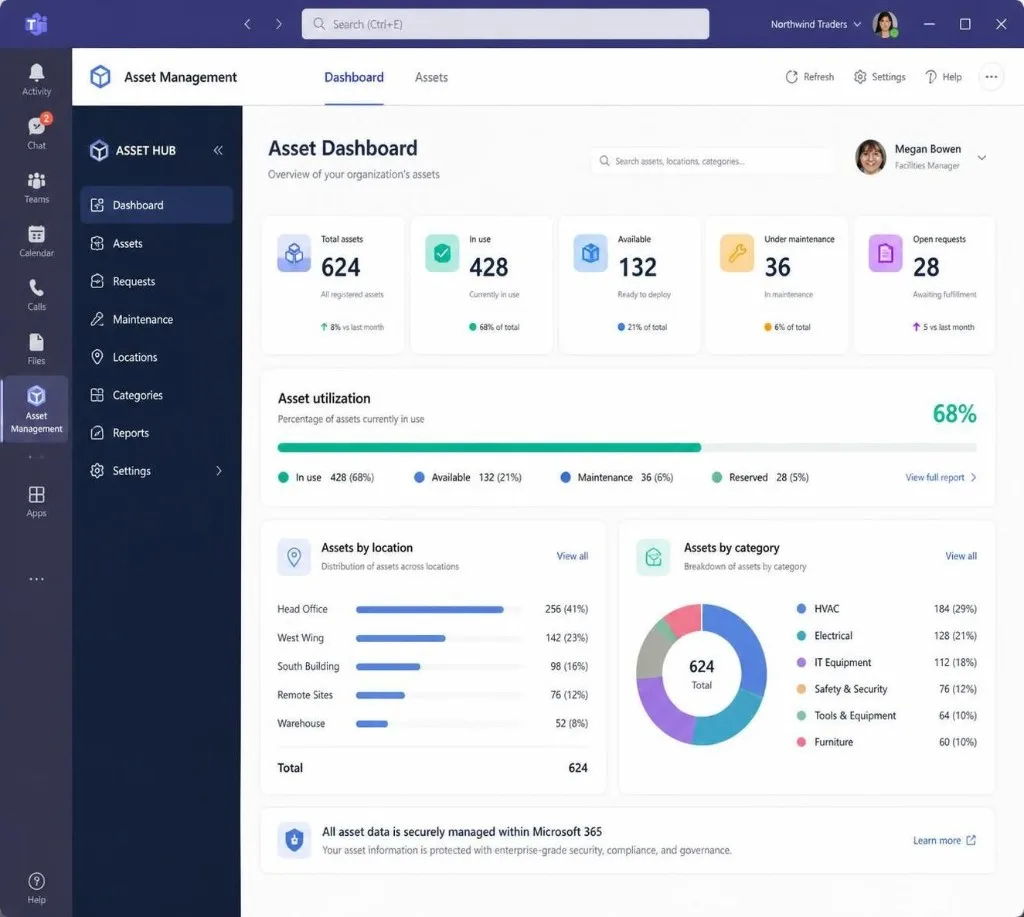
Create, assign, and track IT assets throughout their lifecycle. Manage purchase orders, vendors, depreciation, assignments, locations, and asset history in one Microsoft 365 Asset Tracker.
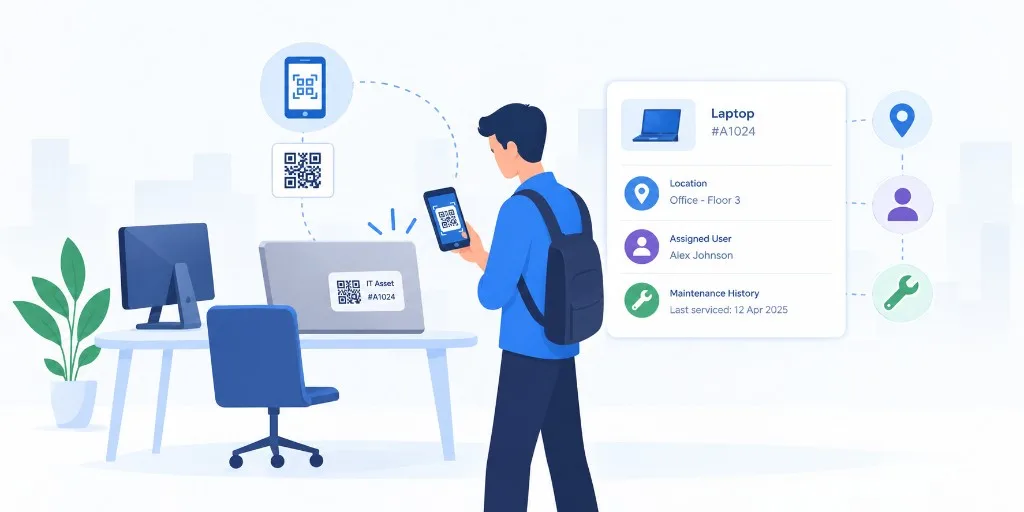
QR Code Mobile Scanning
Generate and print QR labels for your equipment. Scan assets from mobile devices to quickly access location, assigned user, and maintenance history.
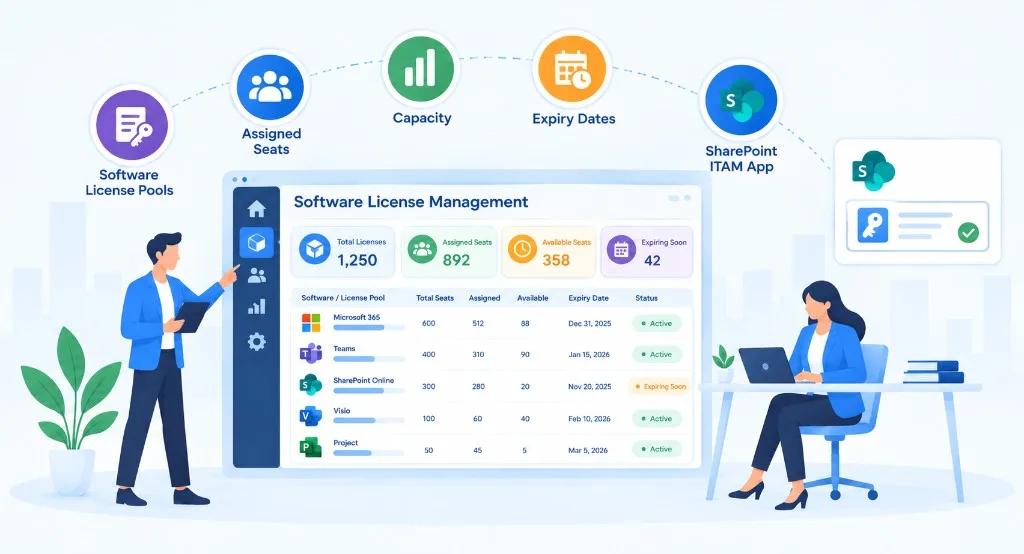
Software License Management
Track software license pools, assigned seats, capacity, and expiry dates with your SharePoint ITAM App. Set alerts to help prevent over-allocation and missed renewals.
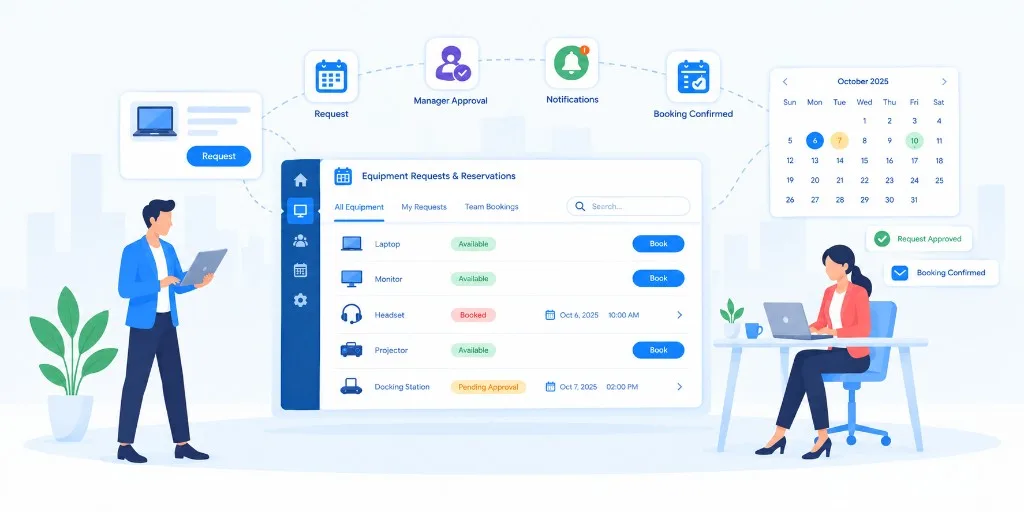
Equipment Requests & Reservations
Manage equipment requests and shared-device bookings with conflict detection, manager confirmations, and calendar notifications—all within SteadyPoint SharePoint Asset Management.
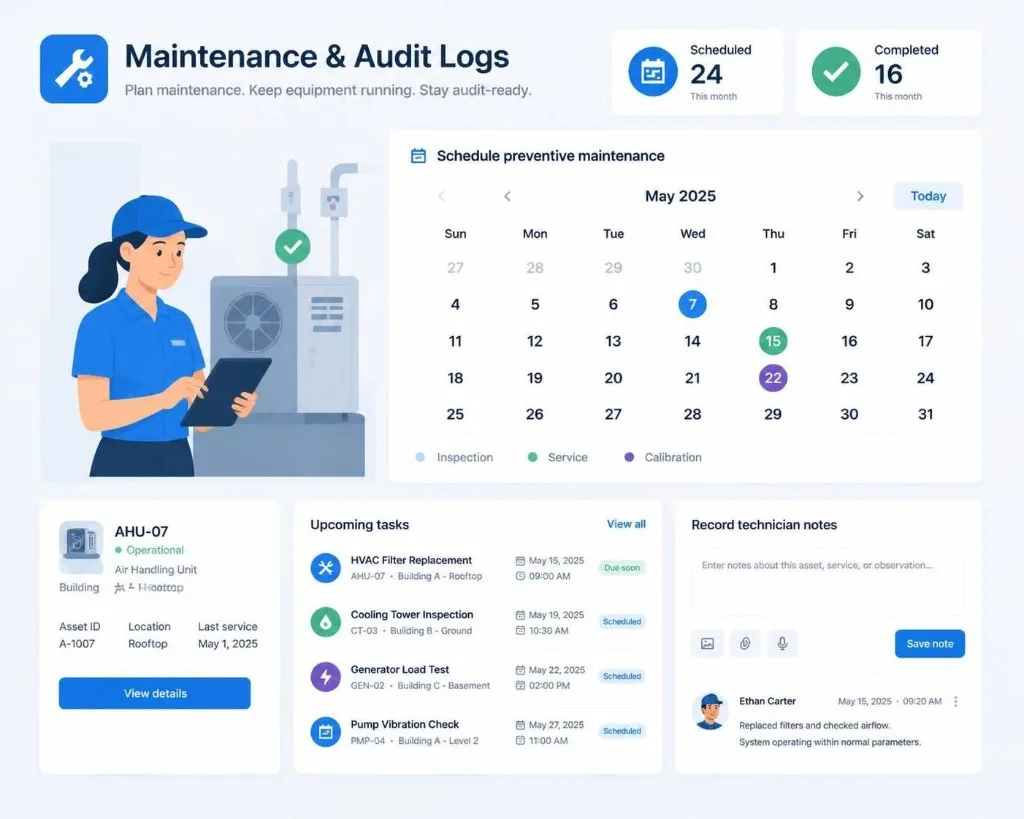
Maintenance & Audit Logs
Schedule preventive maintenance, record technician notes, and track repair statuses. Keep searchable asset activity and maintenance history in your Microsoft 365 Asset Tracker.
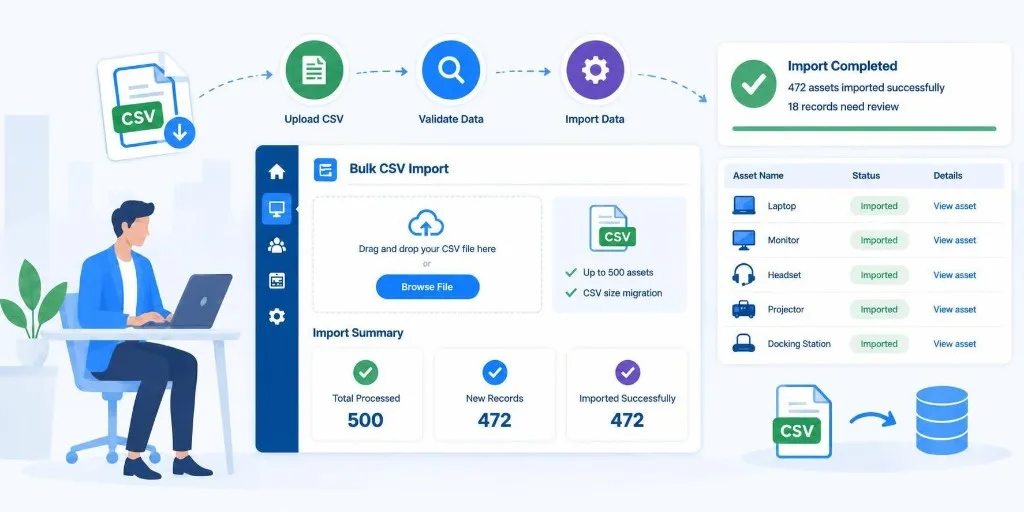
Bulk CSV Import
Import up to 500 assets at once using a simple CSV template with duplicate detection, making it easier to move existing data into your SharePoint ITAM App.
Helpdesk Integration
Connect assets with SteadyPoint Helpdesk through Power Automate. Create or link tickets from asset records and open related Helpdesk tickets directly from the asset.
Microsoft 365 & Teams
Access your asset information through Microsoft Teams while keeping asset management within your Microsoft 365 environment. SteadyPoint Assets provides a practical SharePoint ITAM App for centralized SharePoint Asset Management.
Frequently Asked Questions
What is a SharePoint Asset Management App?
SteadyPoint is a SharePoint Asset Management App for Microsoft 365 and Teams that helps you manage hardware, software, equipment, and asset records in one place.
Can I use SteadyPoint for IT asset management?
Yes. The SharePoint ITAM App helps you track IT assets, assignments, locations, vendors, depreciation, and asset history throughout the asset lifecycle.
Can I manage software licenses with SteadyPoint Assets?
Yes. Software License Management lets you track license pools, assigned seats, capacity, and expiry dates.
Can I connect asset management with my Helpdesk?
Yes. SteadyPoint Assets connects with SteadyPoint Helpdesk, allowing you to link assets to tickets and view related support history.
Does SteadyPoint Assets work with Microsoft Teams?
Yes. You can access your asset information through Microsoft Teams while keeping asset management within your Microsoft 365 environment.