

SteadyPoint HRIS comes with default email templates to notify employees and managers of important HR activities. Whether it's a leave approval request, a leave request being approved or rejected, or another HR activity, they receive the appropriate notification.
In this blog, we'll explore the default email templates available in the SteadyPoint HR management system, and how to customize them to match your needs. Related setup: Power Automate installation and roles and permissions.
Ready to try it yourself? Start your free trial of SteadyPoint HR. For more guides, visit the HR App blog.
SteadyPoint HRIS default email templates
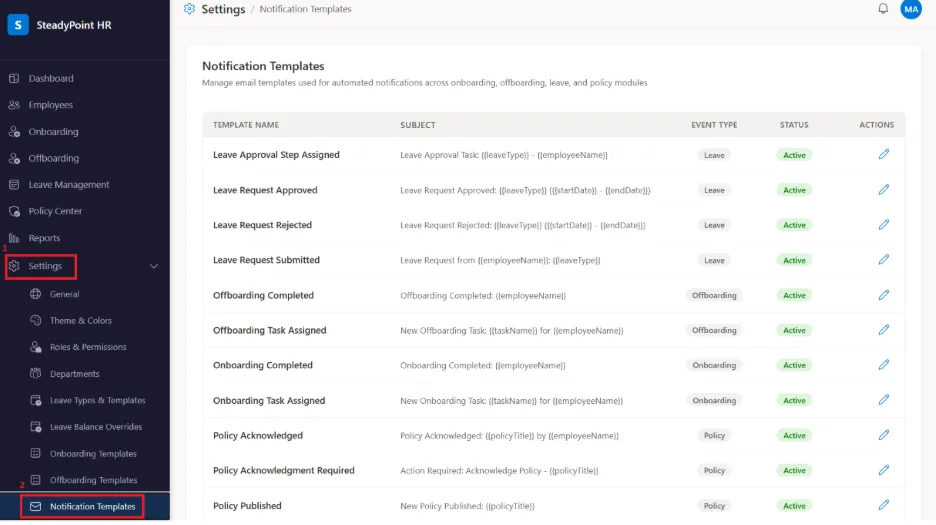
All default email notification templates are available under:
- Settings > Notification Templates
How to customize an email template
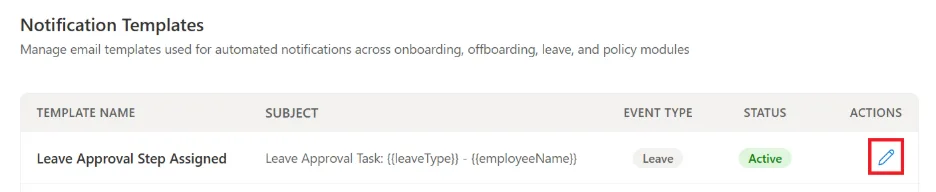
- Click the Edit icon next to the email template you want to update.
- Choose from the list of placeholders and add them to the email subject or body as needed.
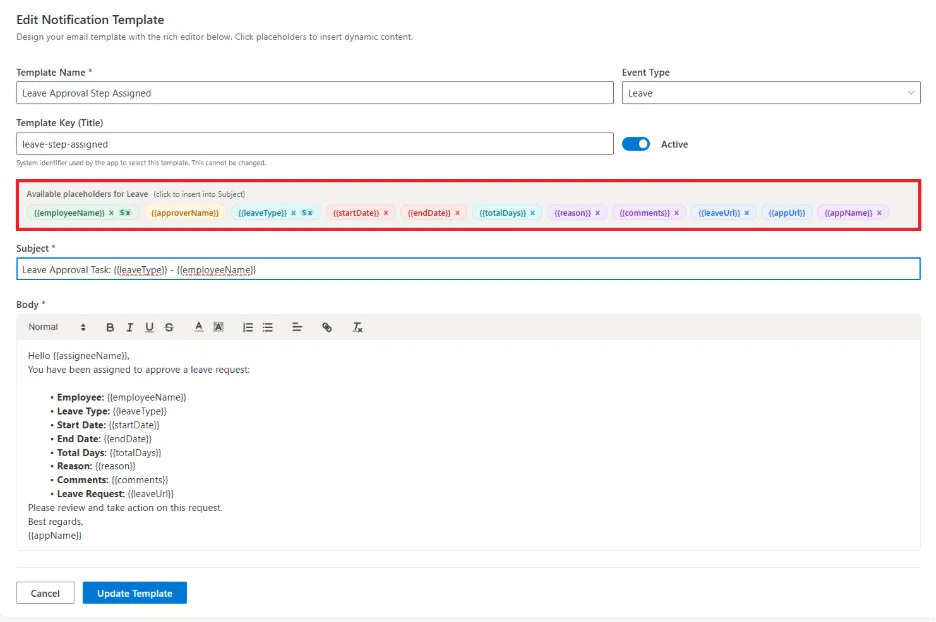
These placeholders automatically add system information, making emails more relevant for each recipient.
As a final note, if you want to stop a specific email notification from being sent, simply turn off the Active option.