

Onboarding new employees should be simple, clear, and consistent.
With SteadyPoint HRIS, an HR management system, you can manage onboarding in a structured way. No confusion. No missed steps.
In this blog, we will show how to onboard new hires using SteadyPoint HRIS.
Ready to try it yourself? Start your free trial of SteadyPoint HR. For more guides, visit the HR App blog.
Decide whether to create your own onboarding template or use the existing one
In SteadyPoint HRIS, you have two simple options to start.
You can use the standard onboarding template. It is already built with common steps that most companies need. It is ready to use right away, and you can adjust it if needed.
Or you can create your own template from scratch. This gives you full control to design each step based on your company's process, roles, and internal requirements.
Both options work well. You can start with the standard template and then customize it later as your onboarding process becomes more advanced.
You will find the standard template here: Settings > Onboarding Templates > Standard Employee Onboarding Template
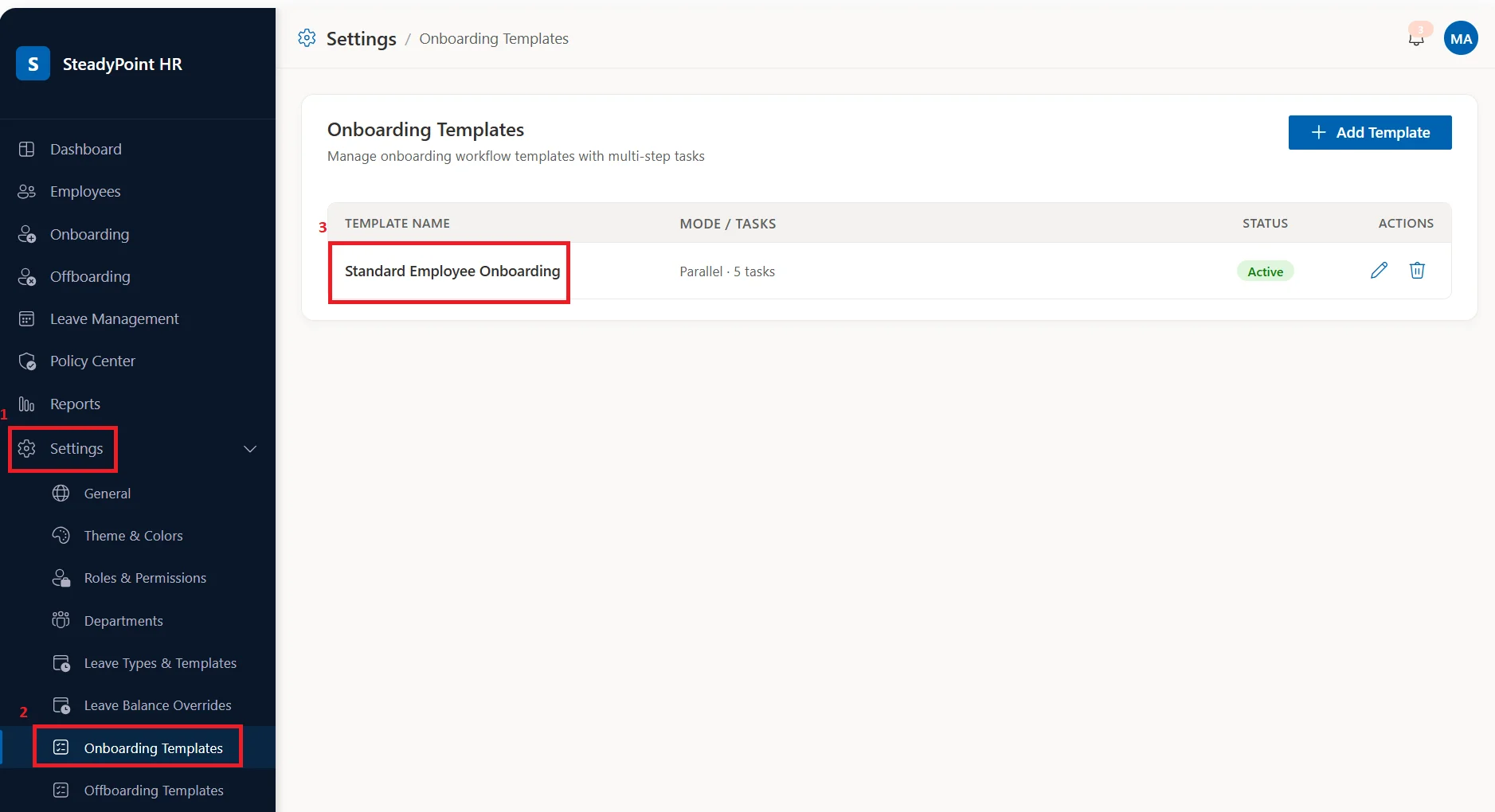
Create onboarding templates
If you do not want to use the existing template, you can create your own onboarding template. This template defines all the tasks a new employee must complete during onboarding. For example:
- Create employee email account
- Set up laptop and access permissions
These are common onboarding steps. You can adjust them based on your company needs.
If you want to build a template from scratch, follow these simple steps.
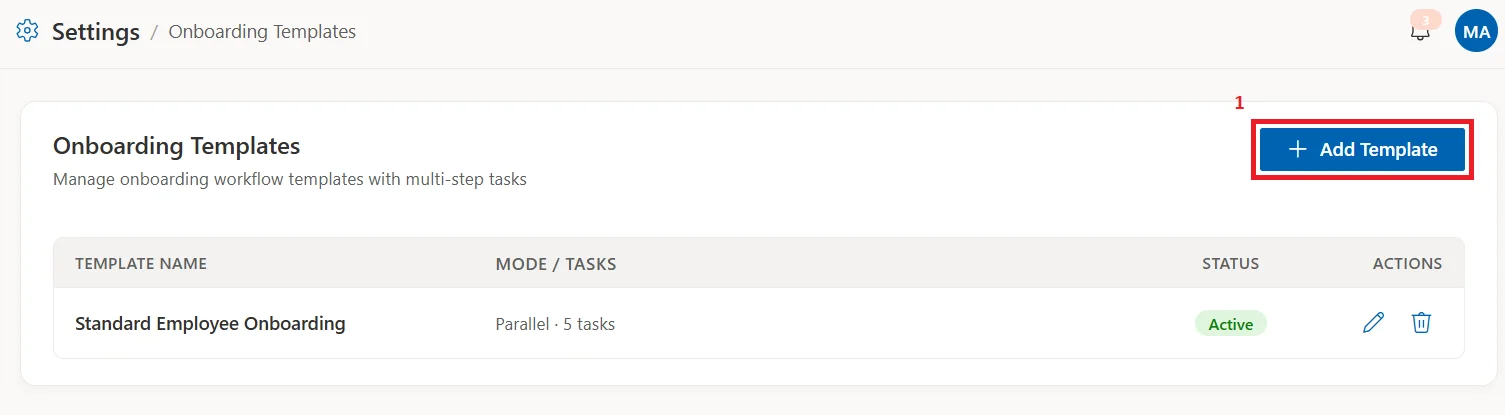
1. Click Add Template
2. Then fill in the details
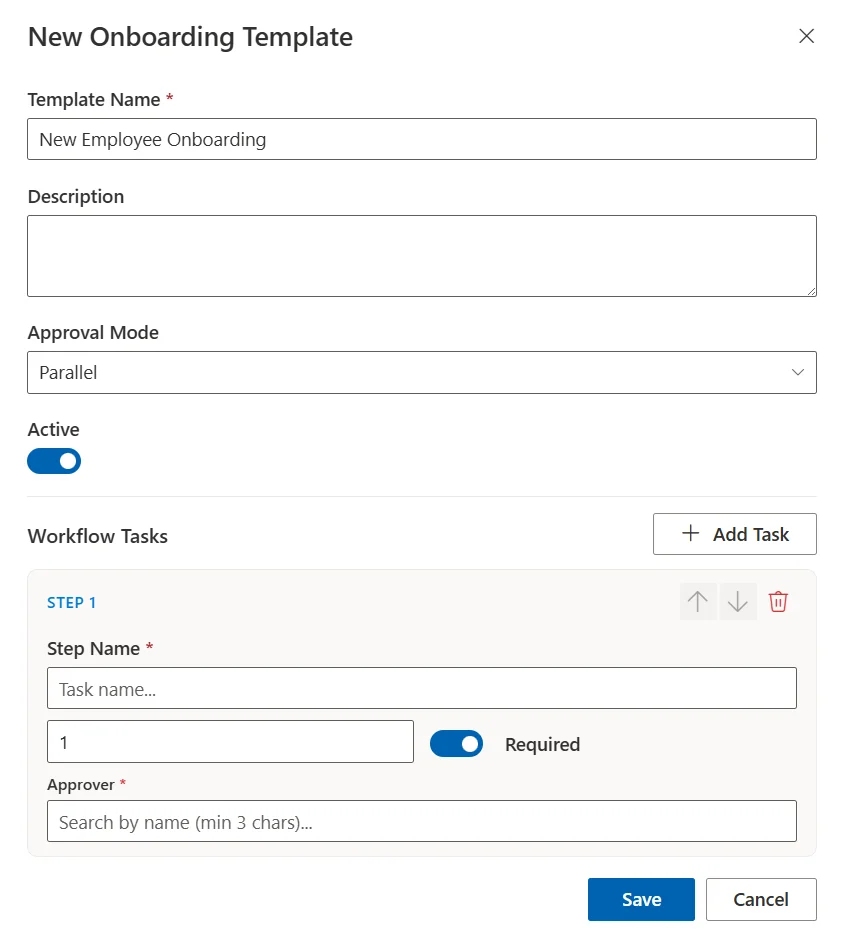
- Name: For example, New Employee Onboarding
- Description: Short explanation of the process
- Approval mode: Choose Sequential (tasks are done one by one) or Parallel (tasks can run at the same time)
3. Click Add Task
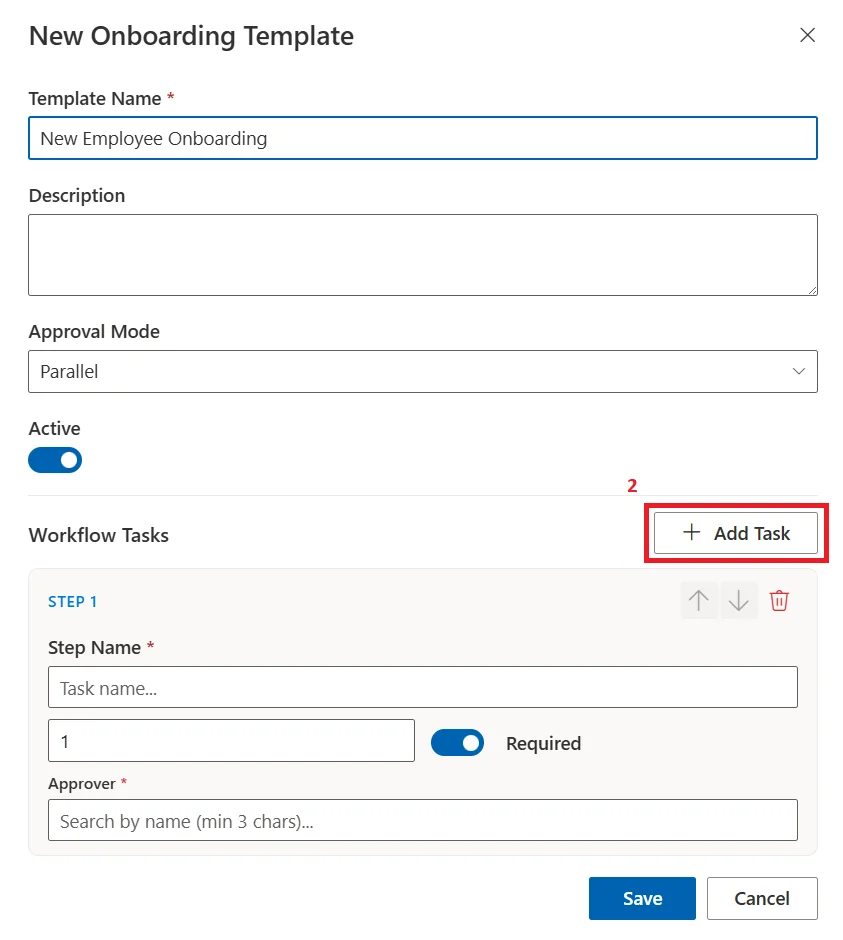
4. For each task:
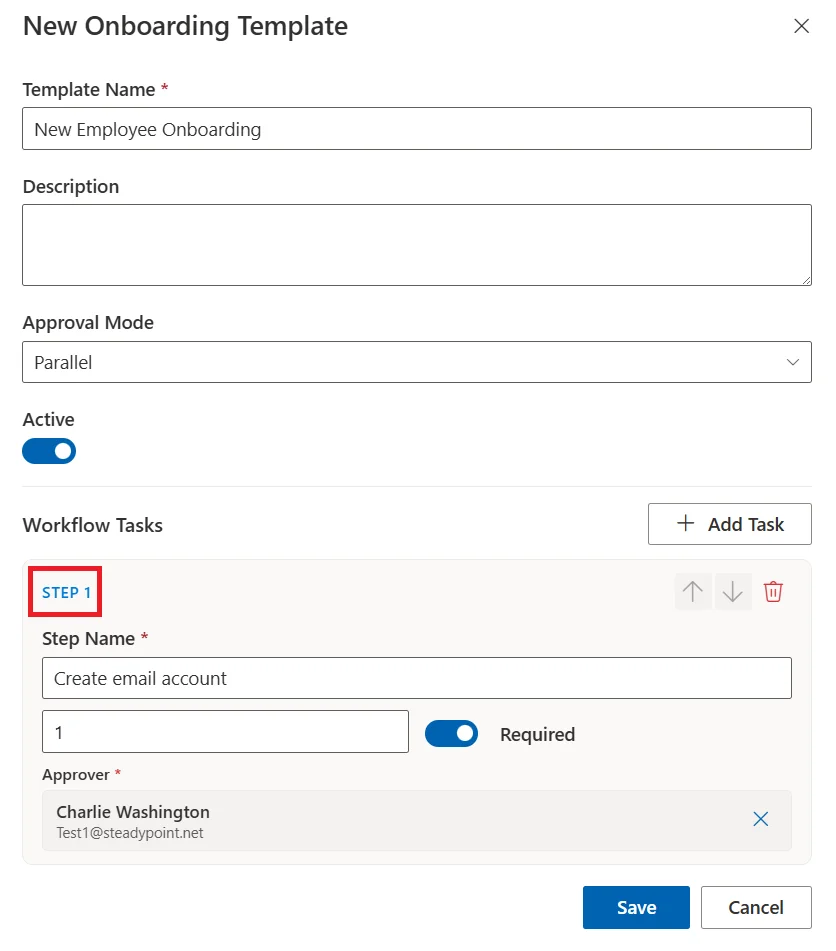
- Give it a name, for example Create email account
- Set number of days to complete
- Mark it required or optional
- Assign an approver
You can add as many tasks as you need.
A simple example of a template:
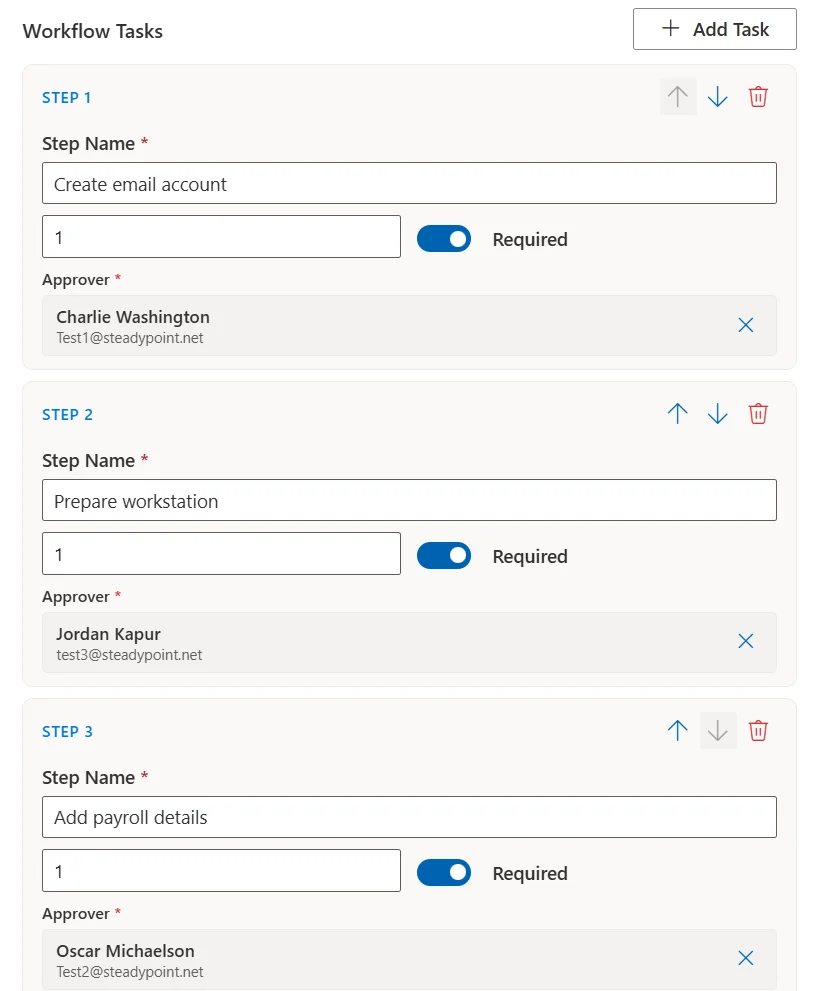
- Create email account
- Prepare workstation
- Add payroll details
- Schedule HR welcome session
- Complete onboarding training
Start onboarding for a new hire
Once your template is ready, you can start onboarding:
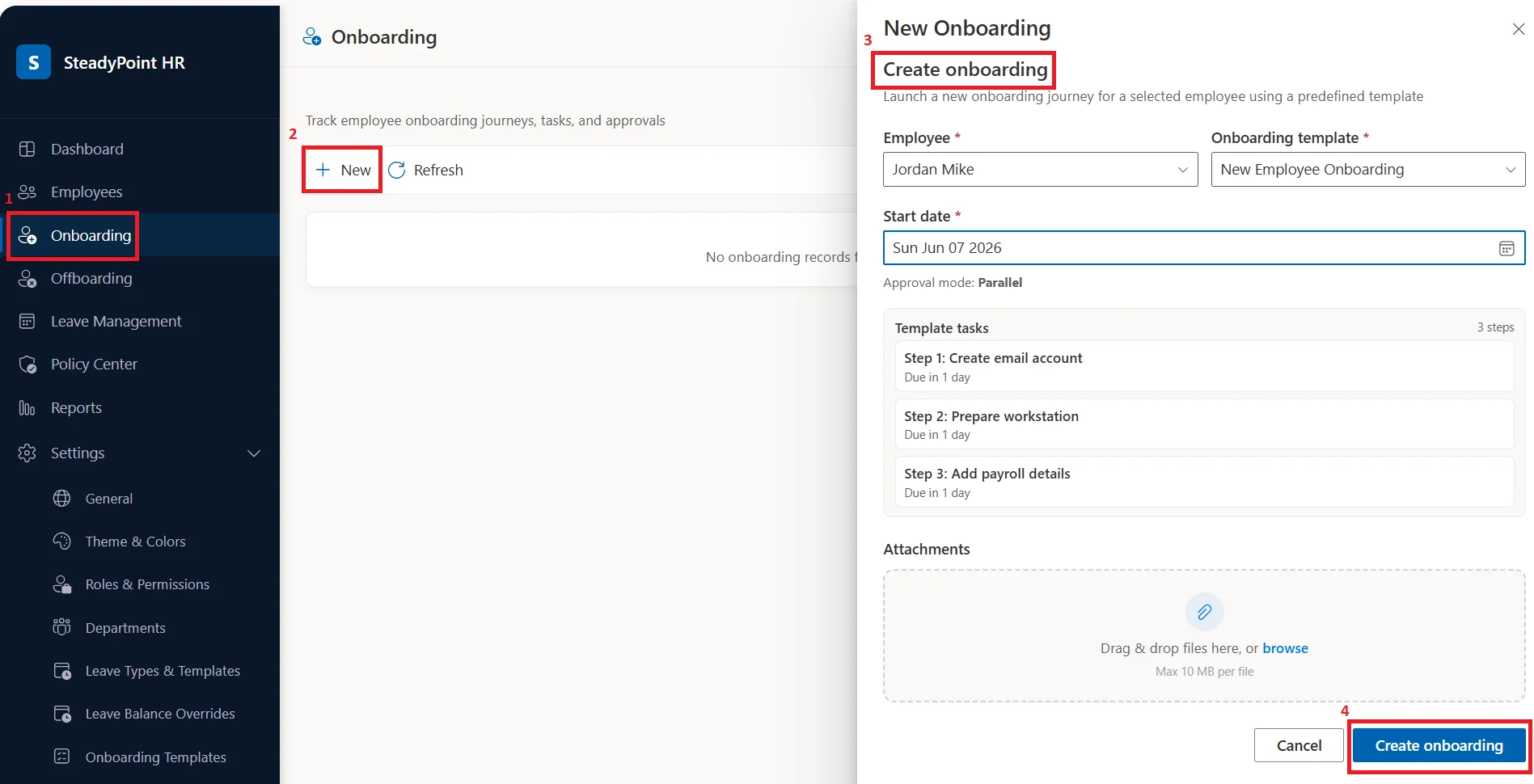
Go to Onboarding and click New.
Then:
- Select employee name
- Choose onboarding template
- Set start date
- Add attachments if needed, such as employment contract or ID copy
- Click Create Onboarding
That is it. The process is now active.
Approvers will automatically receive emails with their assigned tasks. They can complete their work directly in the system.
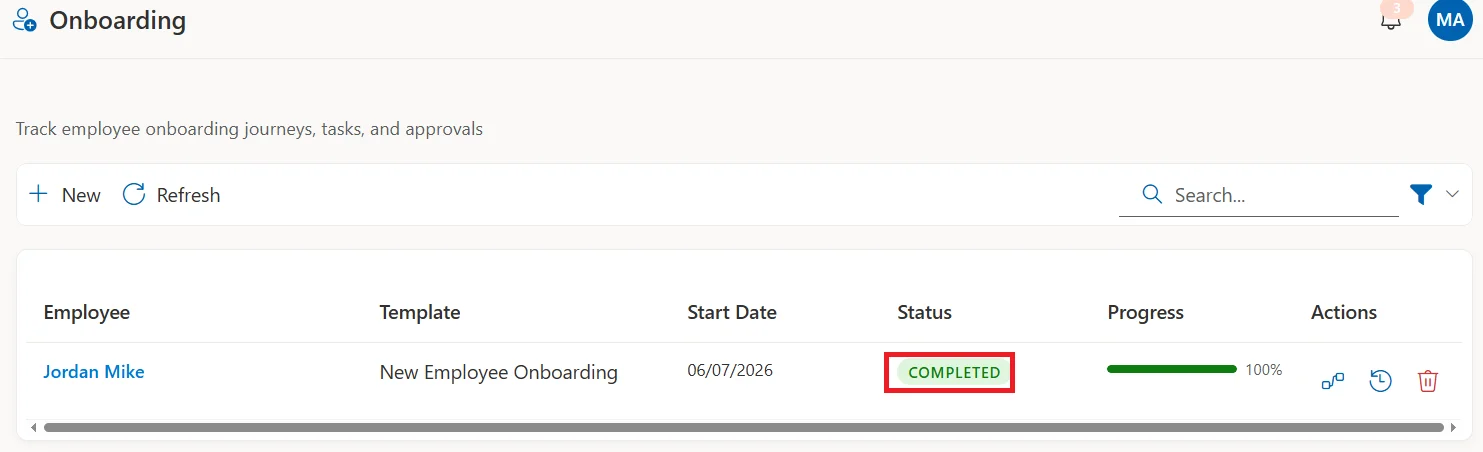
When all tasks are done, the onboarding is marked as complete.
Final note
A structured onboarding process saves time. It reduces mistakes, and it improves the employee experience.
SteadyPoint HRIS helps you manage onboarding in a clear and simple way using one HR management system.
When an employee leaves, continue with How to Offboard Employees with SteadyPoint HRIS.