

SteadyPoint HRIS is a modern HR system designed to help HR admins manage key employee processes such as onboarding, offboarding, and leave management. The first and most important step in getting started is adding your employee list into the system.
HR admins can add employees to the SteadyPoint HR management system in one of the following ways:
- Add employees manually
- Import from Active Directory
- Import from Excel sheet
In this blog, we will walk you through each method to add new employees in SteadyPoint HRIS.
Ready to try it yourself? Start your free trial of SteadyPoint HR. For more guides, visit the HR App blog.
Add Employees Manually
This is the simplest and most direct way to add a new employee.
Steps:
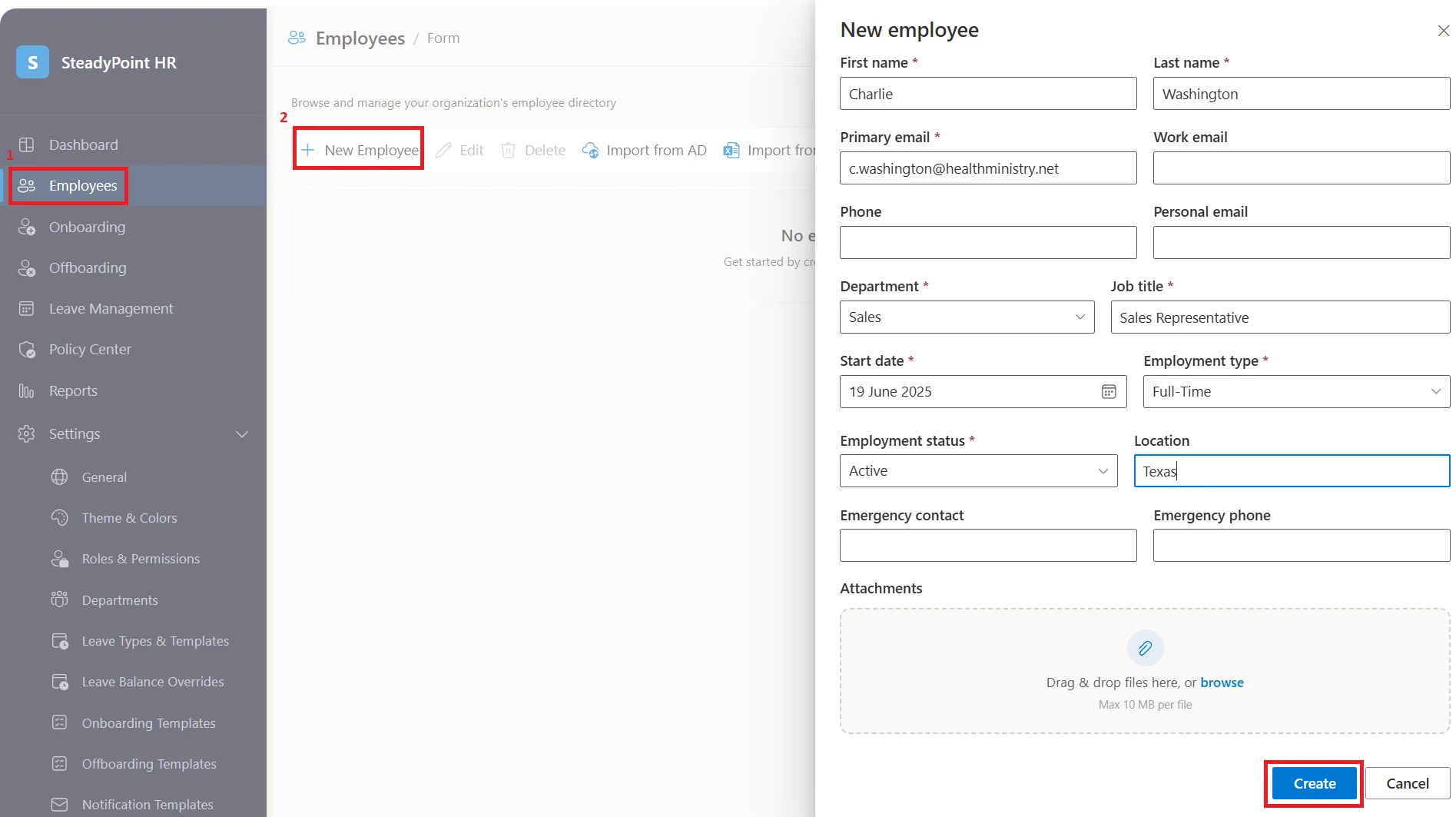
- Go to Employees in the side navigation.
- Click + New Employee.
- A new screen will open where you can enter employee details, including:
- First and last name
- Primary, work, and personal email
- Phone number
- Department
- Job title
- Start date
- Employment type and status
- Location
- Emergency contact details
- Attachments
Once all required fields are completed, the employee will automatically appear in the Employees list.
Import from Active Directory
This option allows HR admins to quickly import employees already stored in the company's Active Directory.
Steps:
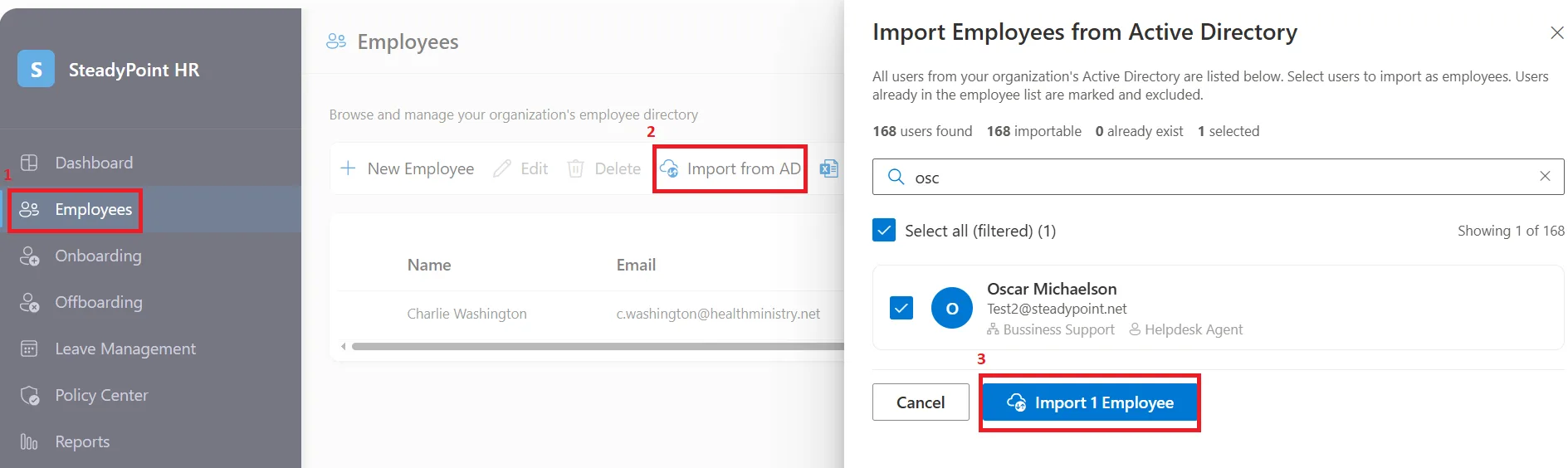
- Go to Employees in the side navigation.
- Click Import from AD.
- Select the employee records you want to import.
The system will automatically pull all available details from Active Directory and create the employee profiles in SteadyPoint HRIS.
Import from Excel Sheet
This method is ideal for bulk employee uploads.
Steps:
- Go to Employees in the side navigation.
- Click Import from Excel.

- Download the SteadyPoint HRIS Excel template.
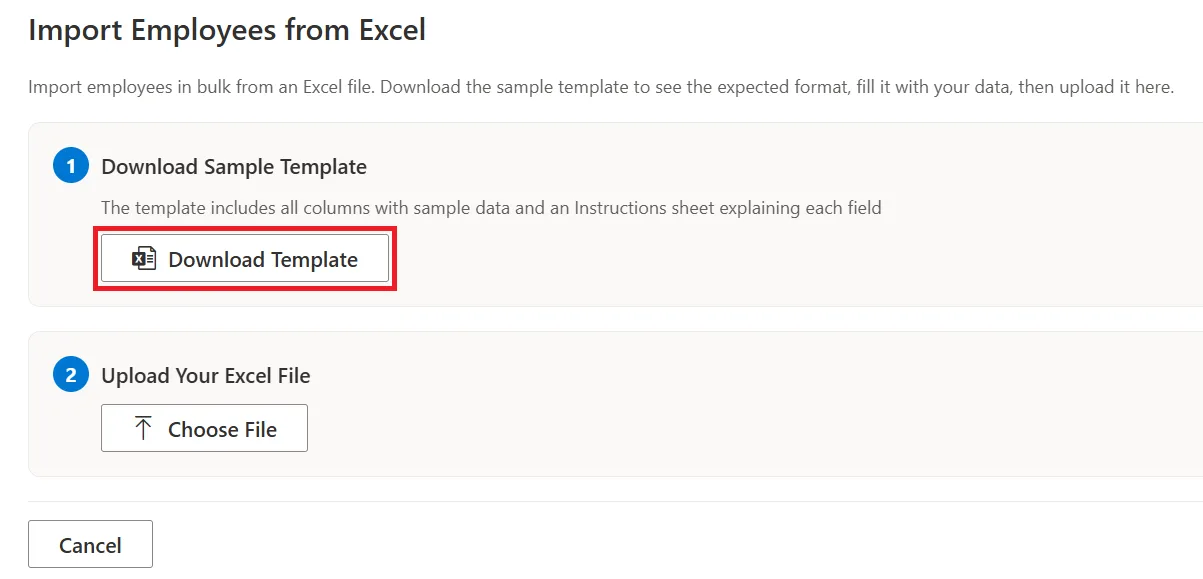
- Fill in your employee data using the required format.
- Upload the completed file into the system.
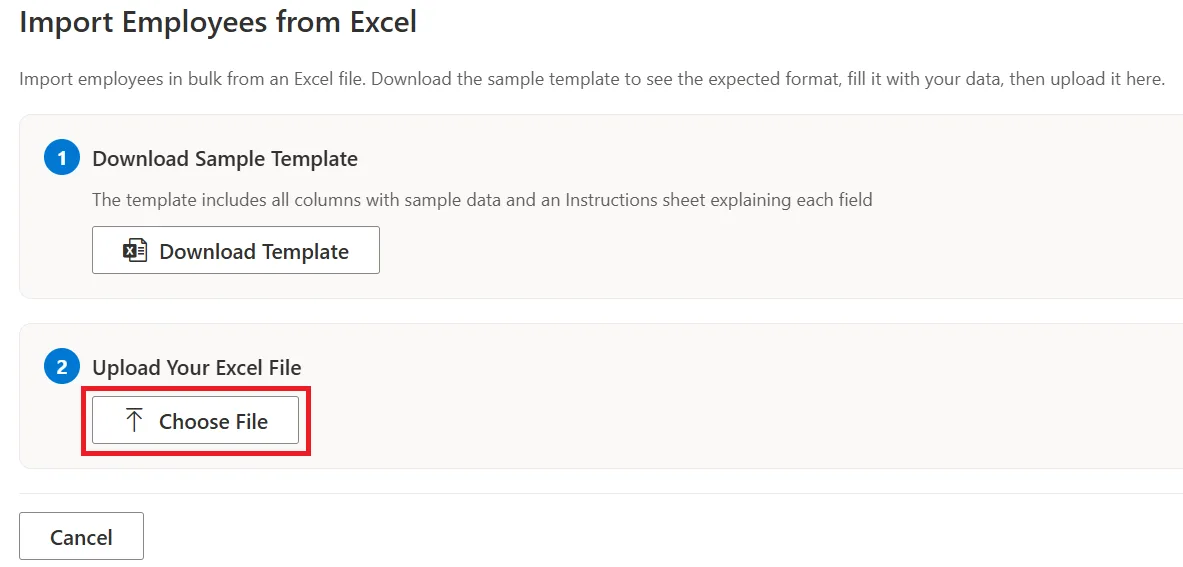
Once uploaded, all employee records will be added to the system in bulk.
Final note
Adding your employees is the first step to getting the full experience from SteadyPoint HRIS.
If you have any questions, feel free to reach out at sales@steadypoint.net — we're happy to help.
After your employee list is in place, continue with How to Onboard New Hires with SteadyPoint HRIS.