
HR policies are formal guidelines that explain how your company manages employees and workplace matters. These policies should be published so employees understand expectations and can be held accountable when they are not followed.
This is where SteadyPoint HRIS makes policy management simple. All company guidelines are organized in one place and can be easily accessed and acknowledged by employees.
In this blog, we will explain how HR admins can add new policies and how employees can access and follow them.
Ready to try it yourself? Start your free trial of SteadyPoint HR. For more guides, visit the HR App blog.
How can admins add policies?
System and HR admins can create and manage policies in SteadyPoint HRIS.
To add a new policy:
- Navigate to Policy Center from the left-hand menu.
- Click + New Policy.
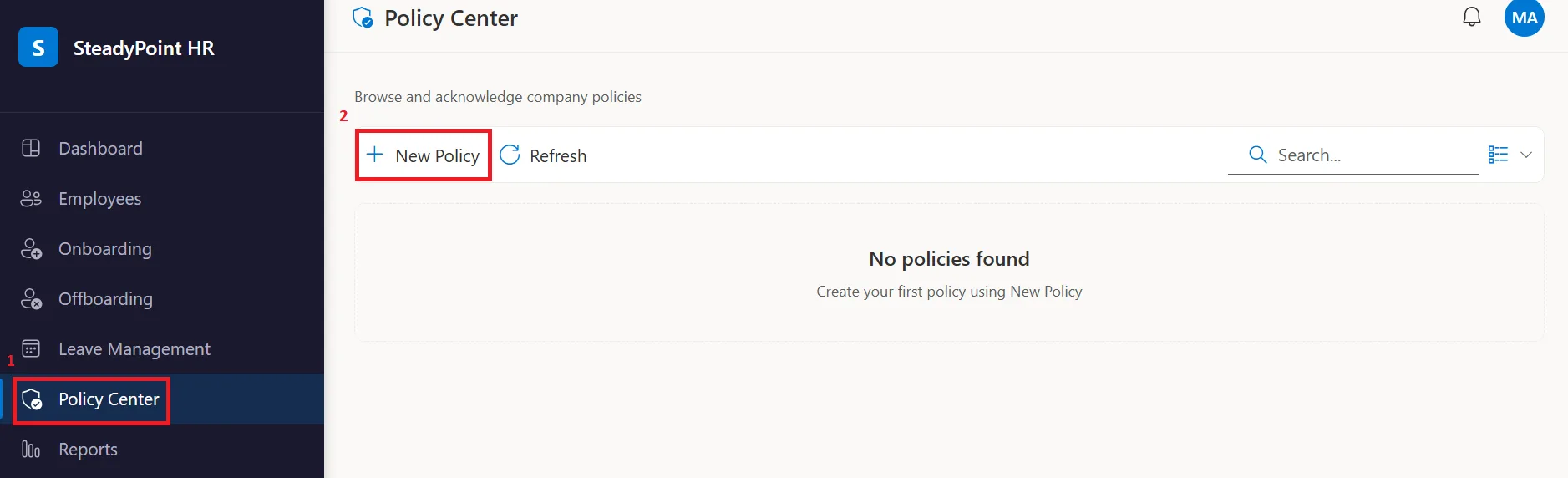
This opens a new screen where you can add enter the policy details, including:
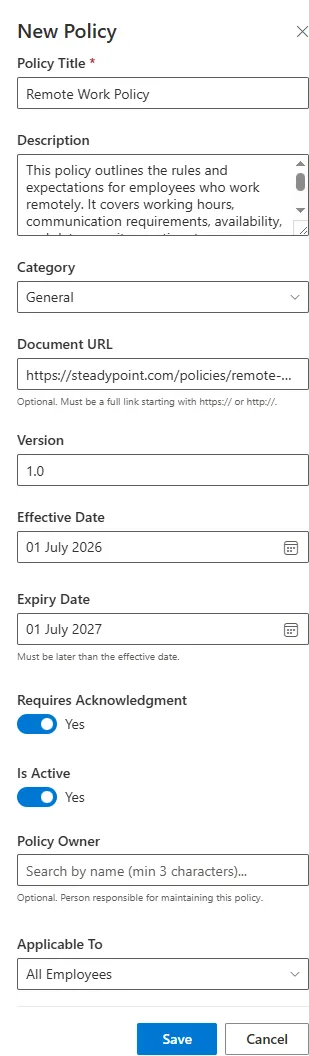
- Policy Title
- Description
- Category
- Document URL
- Version
- Effective Date
- Expiry Date
- Whether acknowledgment is required
- Active or inactive Status
- Policy Owner
- Applies To: All employees or specific departments
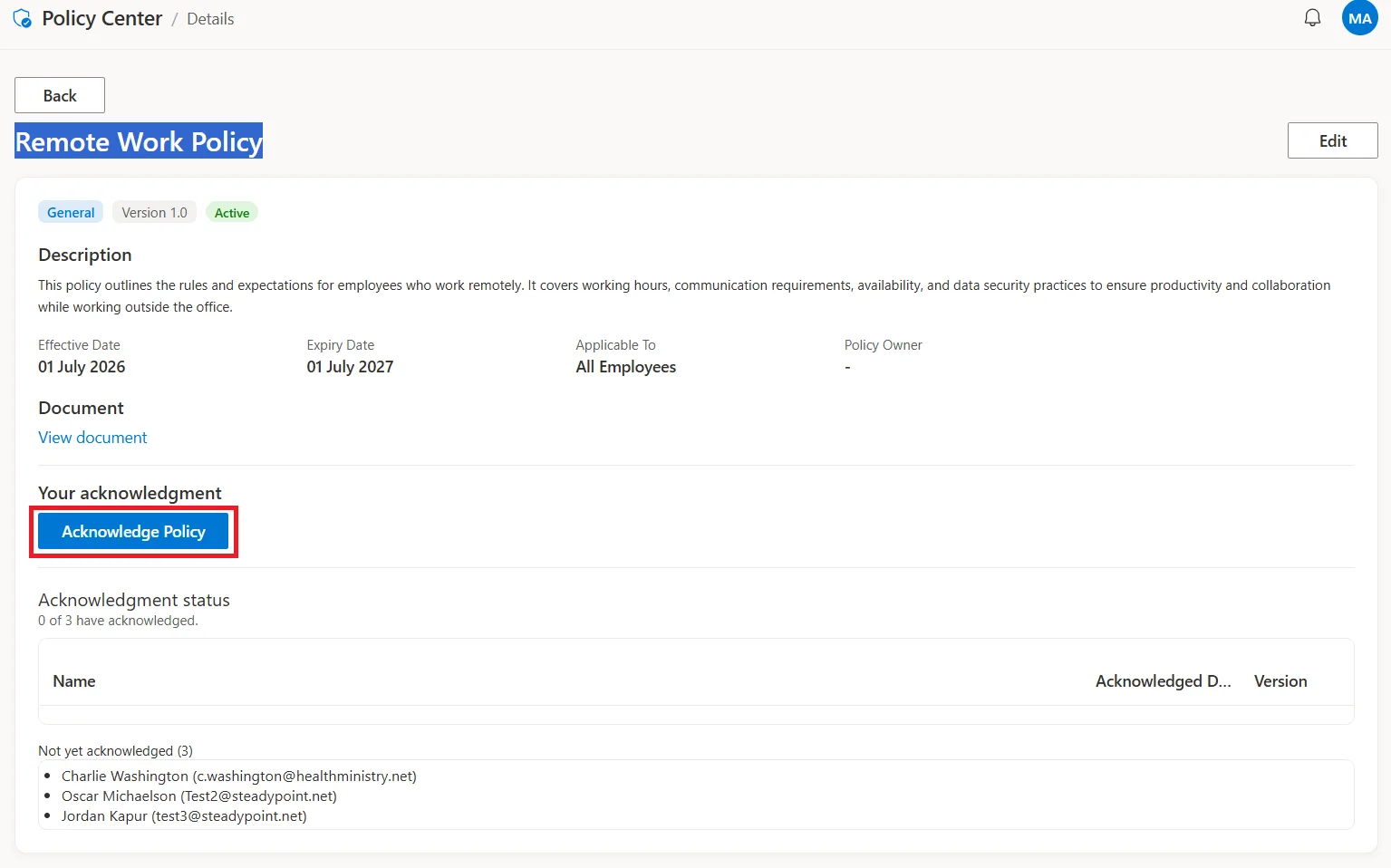
If a policy requires acknowledgement, employees included in the Applies To section will need to acknowledge it. For example, if you make the policy applicable to the Sales Department, an email notification will be sent to all Sales employees requesting them to acknowledge the policy.
What should employees do when there is a new policy?
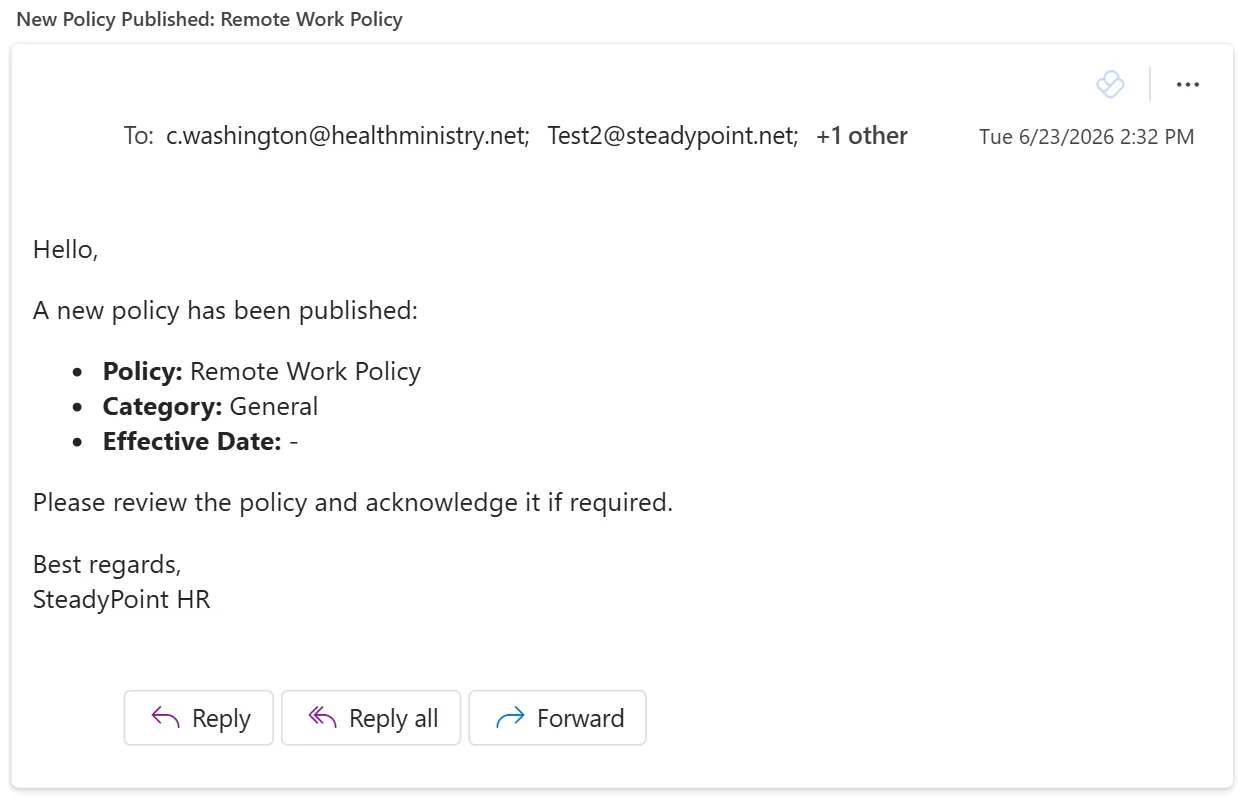
When there is a new policy, employees affected by the policy receive an email notification.
Based on the policy configuration, the email will either:
- Ask employees to acknowledge the policy.
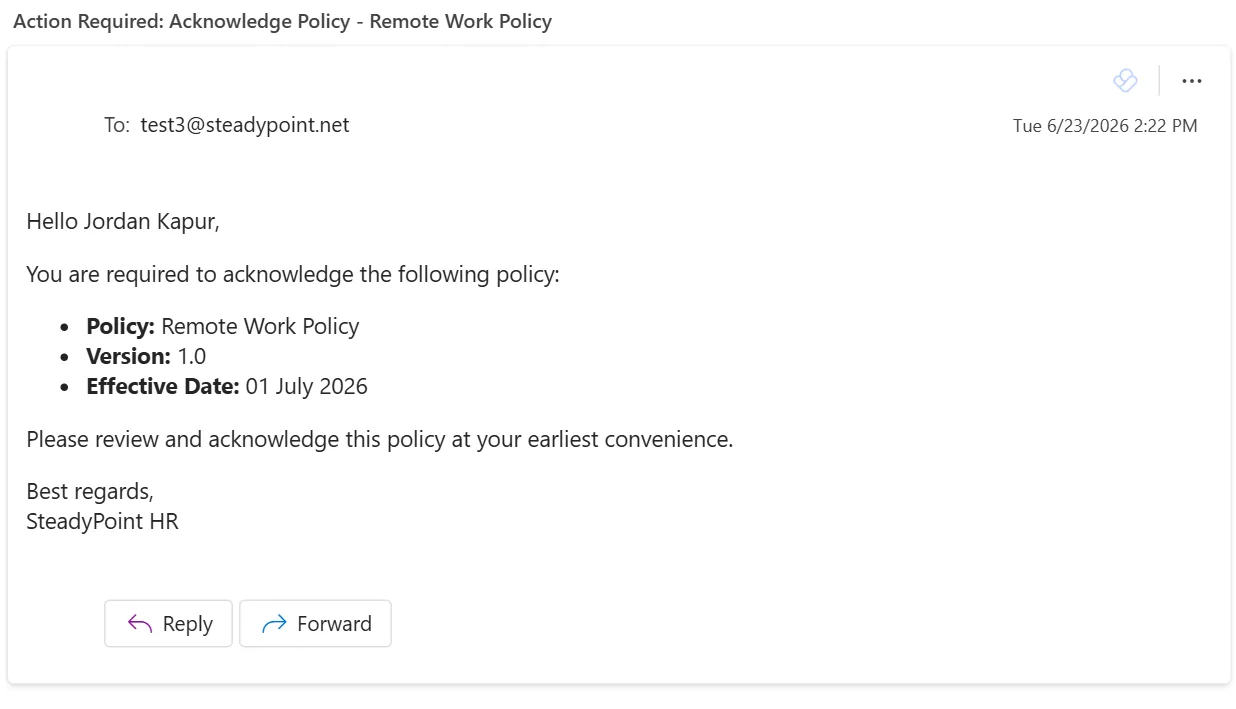
- Or inform them that a new policy has been published for their review.
If acknowledgement is required, employees can navigate to the Policy Center to review and acknowledge the policy.
Final note
Policies exist to set rules for employees and ensure they understand their responsibilities and remain accountable. With SteadyPoint HRIS, all policies are accessible under the Policy Center, making policy sharing and tracking easier.