
To send beginning-of-month leave emails and work anniversary reminders, you need to set up the automation solution in Power Automate.
A Power Automate Per-user-plan license is required for one user (the user running the workflow). If you have an MS365 E3 or E5 license, check whether Power Automate is already included.
SteadyPoint HR Power Automate Solution
Checking available solution files...
Prerequisite Permissions
- You must be a Global Admin.
- Or be granted the Power Automate Admin role by a Global Admin.
Set Up the Solution for SteadyPoint HR
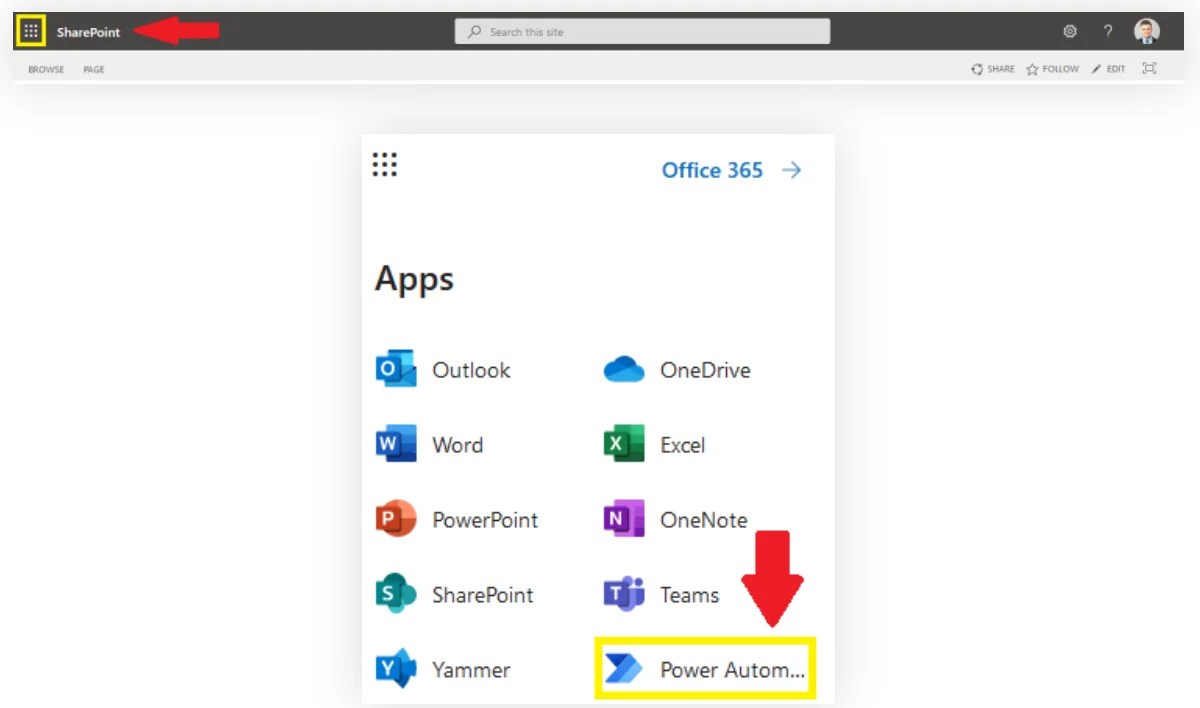
1Select Power Automate from the top left corner.
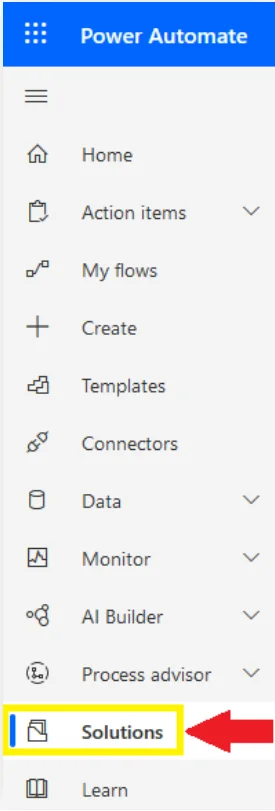
2Go to Solutions.
3Click on Import.

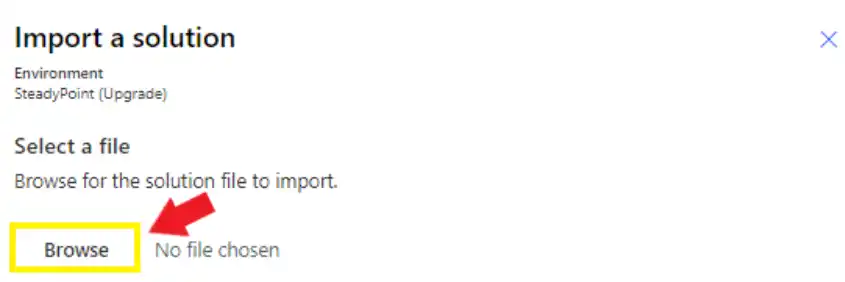
4Click on Browse to select the file.
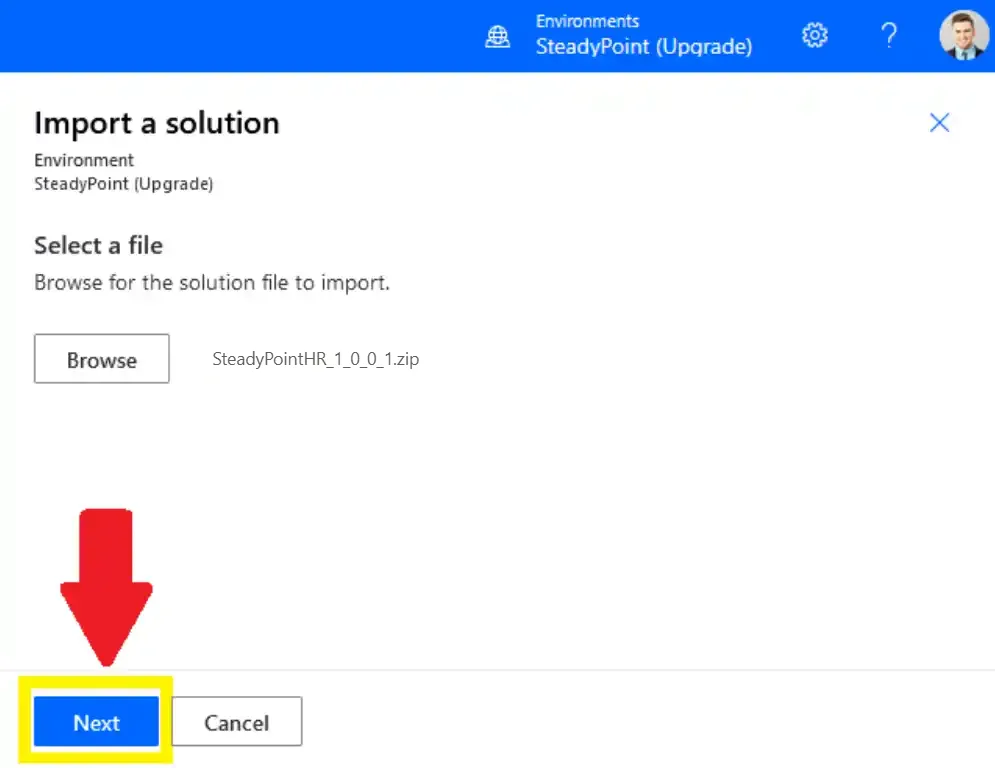
5Click on Next.
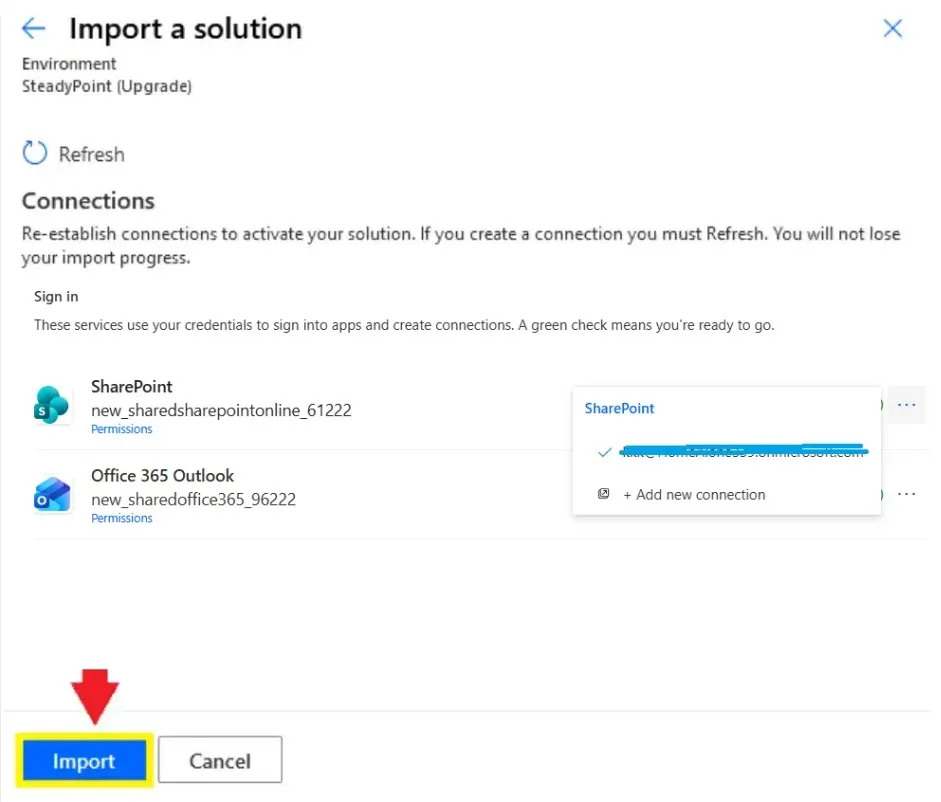
6Select the SharePoint and Outlook connections, then click Import.
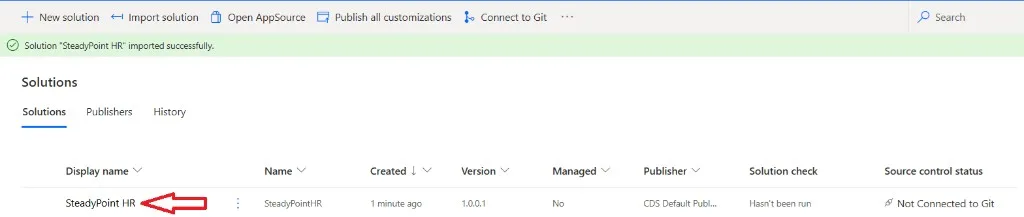
7Click SteadyPoint HR in the solutions list.
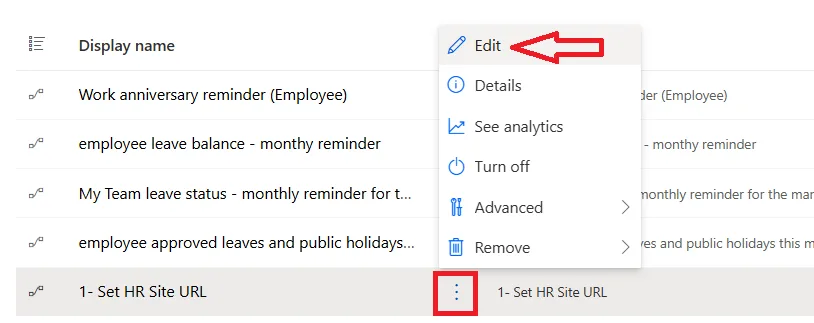
8Click the three ellipses next to 1- Set HR Site URL, then select Edit from the menu.
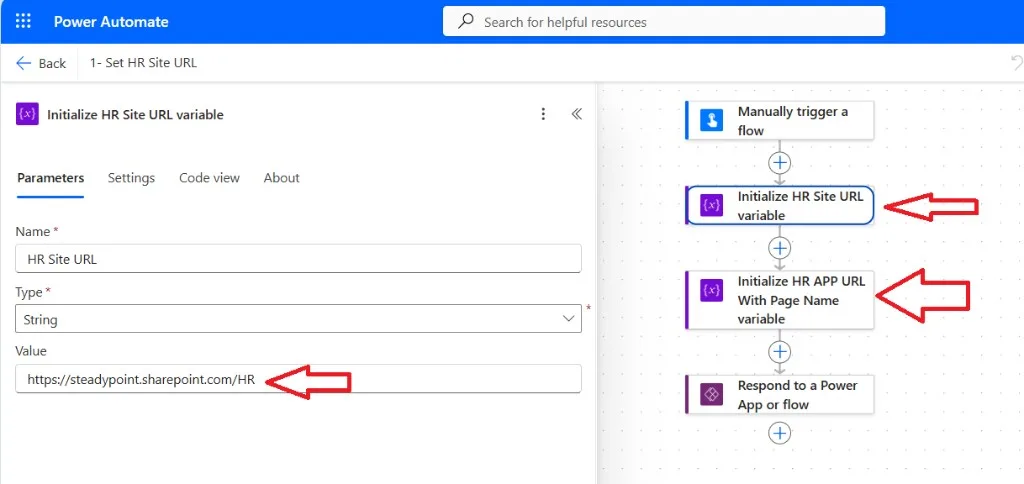
9Replace the sample URLs in Initialize HR Site URL variable and Initialize HR APP URL With Page Name variable with the site and page where SteadyPoint HR is installed, then save.
10Turn all remaining flows On. The Status column should show On for each flow, including the monthly leave reminders and work anniversary reminder.
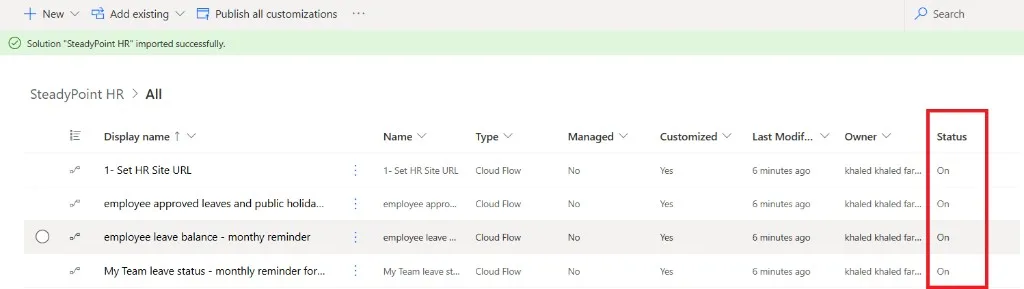
After the flows are On, employees and managers receive beginning-of-month leave emails and work anniversary reminders. You can customize the wording in SteadyPoint HRIS email notification templates.
Need help? Book a time slot and we will set it up with you.