
ACME International is a bank with more than 2,000 employees. The company relied on paperwork for internal IT support, then decided to modernize operations and move to cloud-based tools, including helpdesk workflows.
After evaluating options, ACME selected SteadyPoint Helpdesk in Office 365. The question became: how can they replace older support processes with a structured, scalable model?
Two support models covered in this guide
- Case #1: ACME at enterprise level using automatic routing. Learn more.
- Case #2: A smaller ACME department using manual routing. Learn more.
Case #1: Enterprise internal automatic routing
ACME configured a detailed problem catalog so users can create tickets against predefined IT queues. Their primary queues are Systems, Networks, and Infrastructure, with deeper categories under each queue for specialized handling.
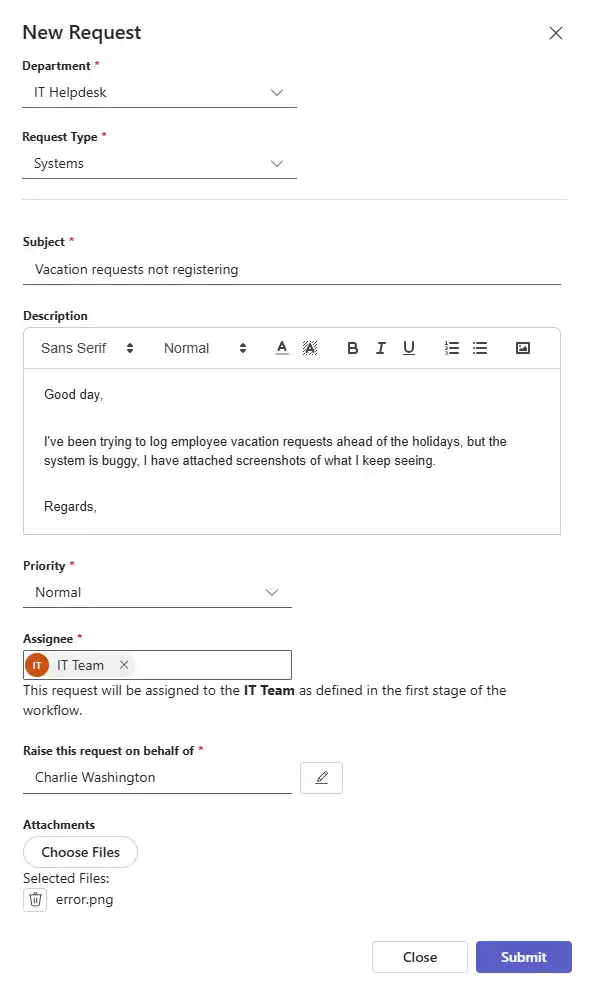
Charlie, an HR employee, reports a vacation-system issue. He submits a ticket that is routed through the configured model.
The created ticket:
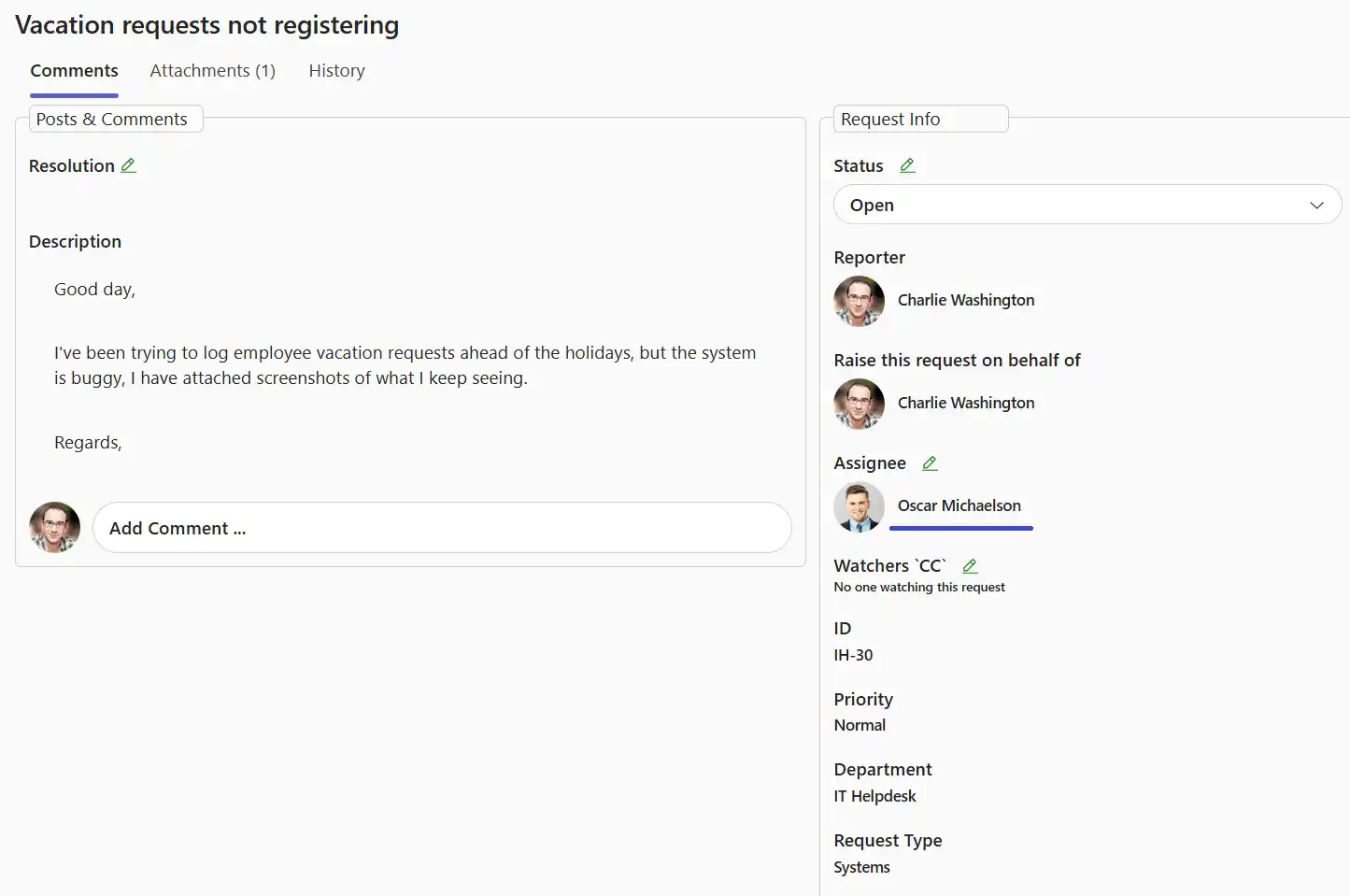
Oscar and Tobias, both in the IT Systems resource pool, receive the new-ticket alert. Oscar claims the ticket first and starts handling it.
Ticket assigned to Oscar:
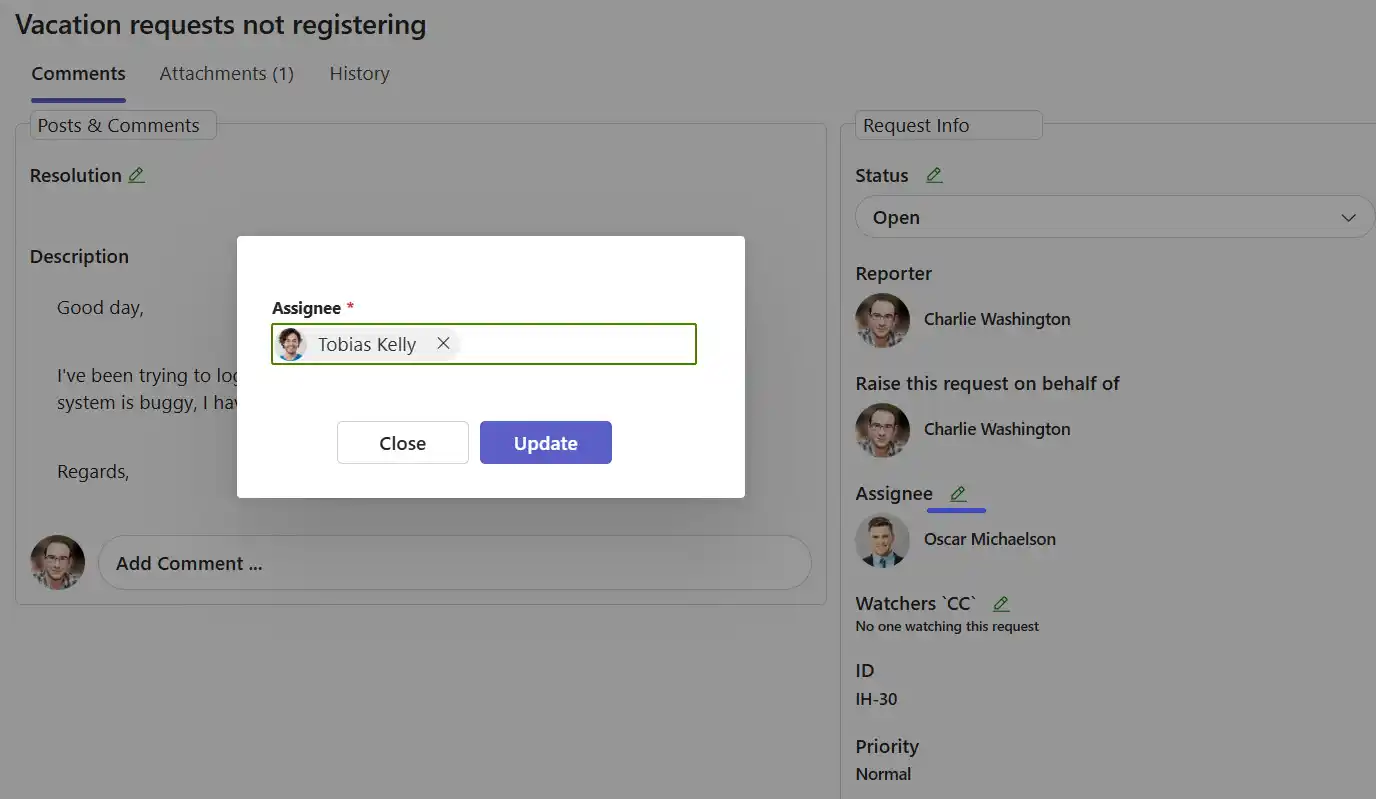
After review, Oscar decides Tobias is better suited for the issue and reassigns the ticket. Tobias receives a reassignment notification.
Ticket reassigned to Tobias:
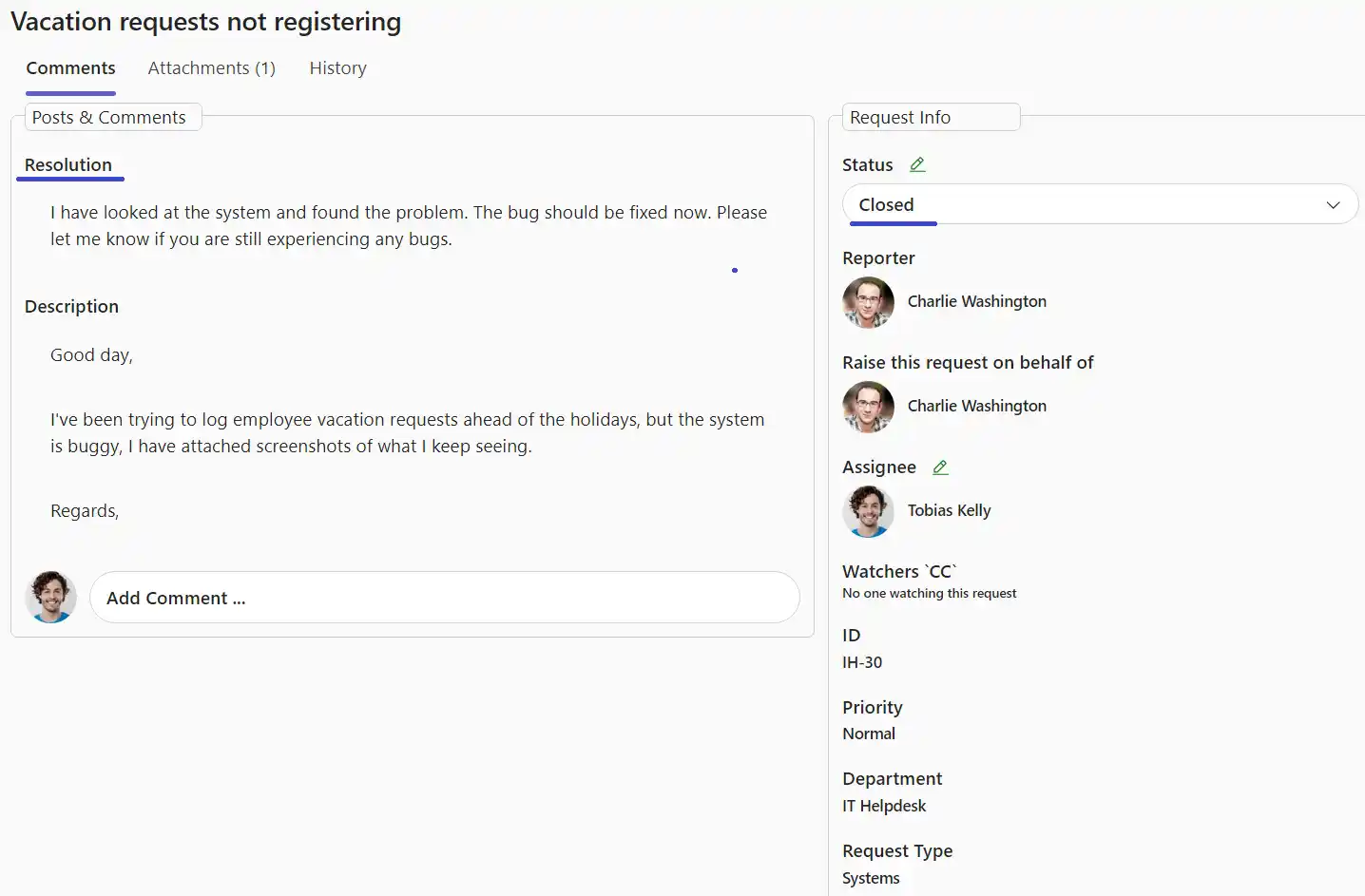
Tobias investigates, resolves the HR issue, and closes the ticket with the applied fix.
Case #2: Small internal team using manual routing
ACME also has a smaller credit-card complaints division with only five employees. Because of team size and direct communication, they prefer manual routing instead of automatic rules.
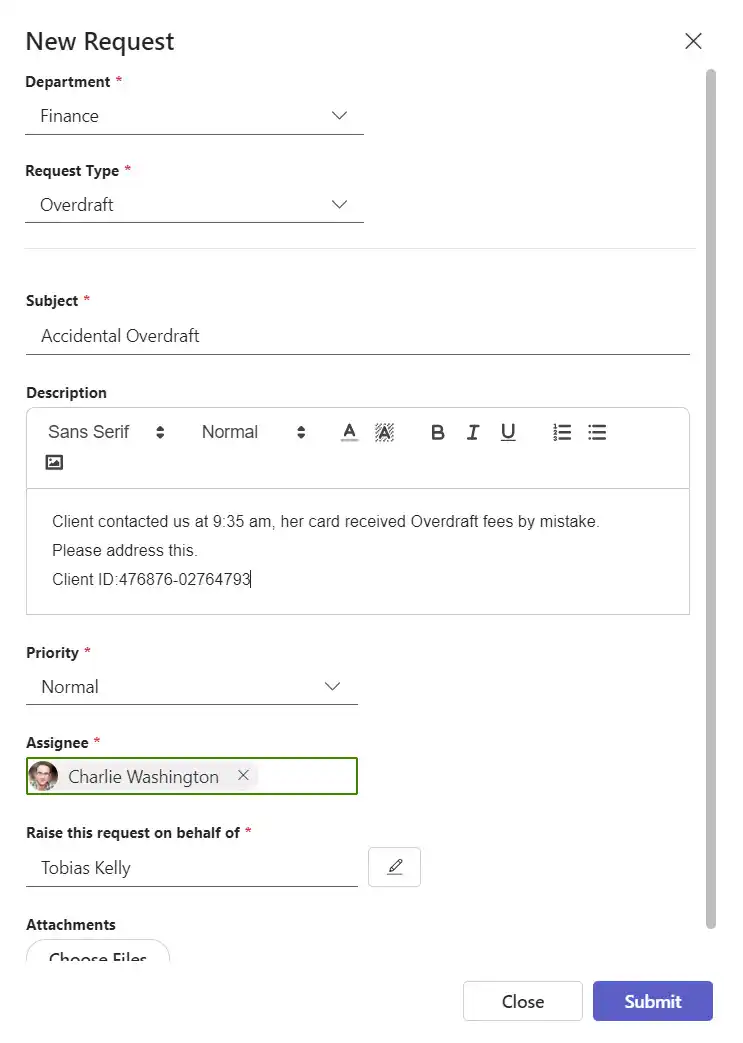
Alexandra calls with an overdraft issue. Tobias creates a ticket during the call and assigns it directly to Charlie, who specializes in accidental overdraft cases.
Created ticket in manual-routing flow:
Charlie receives the ticket, validates the issue, refunds the client, and marks the ticket as fixed.
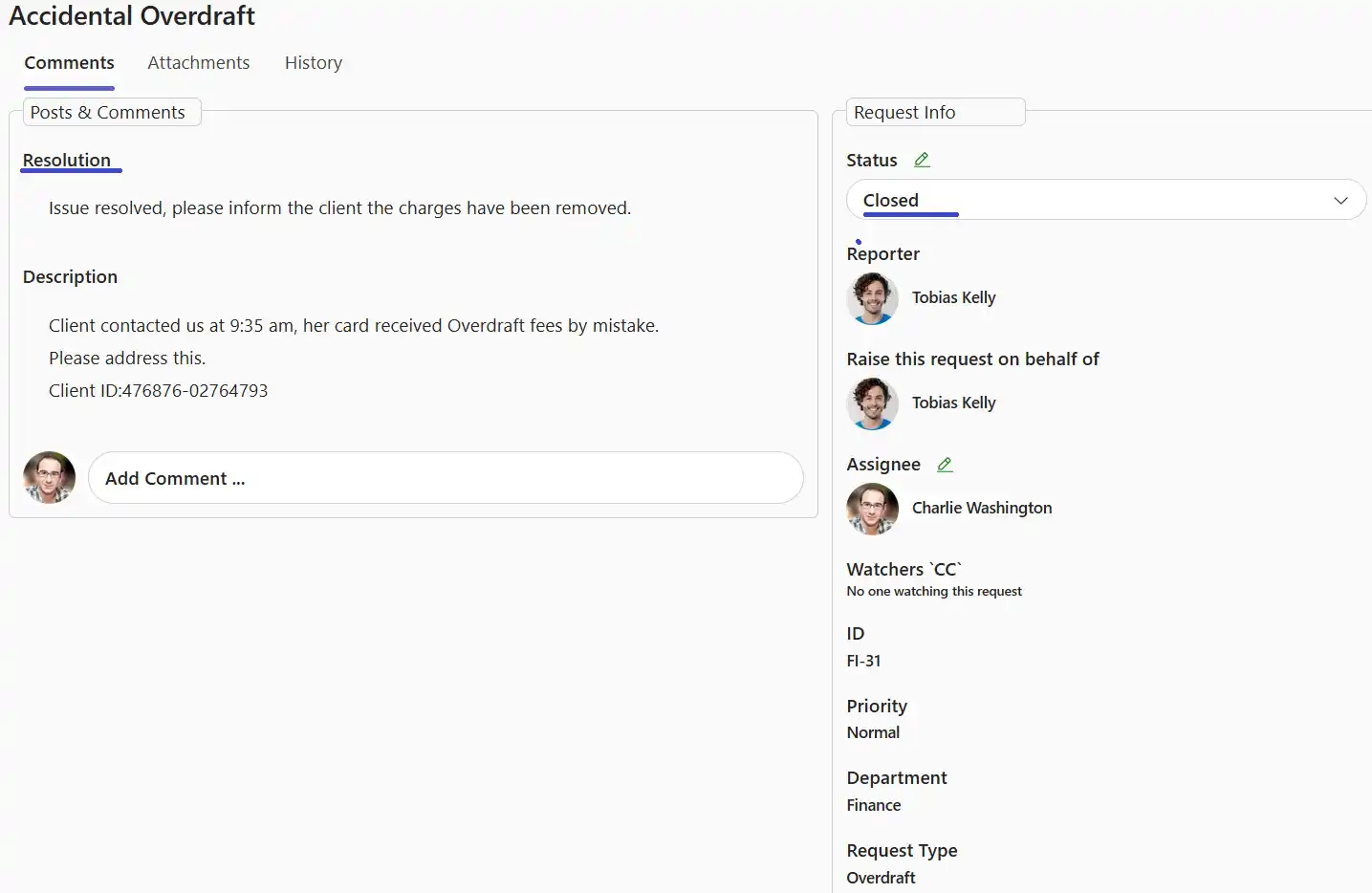
Result: the issue is resolved quickly with clear ownership and traceability.