
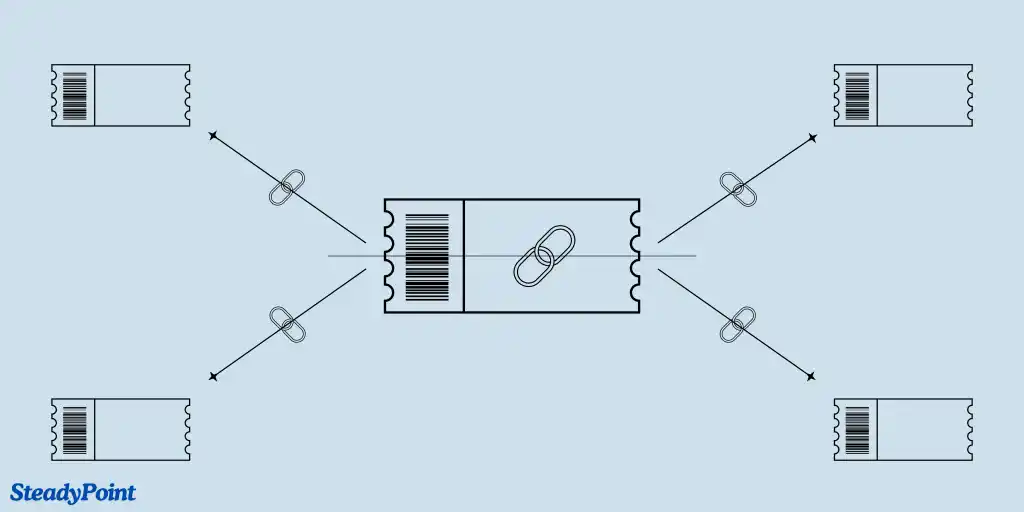
If you handle repetitive or related requests, linking tickets helps you aggregate issues, coordinate updates across agents, and resolve incidents faster with clearer visibility.
Types of ticket links
Available link relationships include: blocks, is blocked by, clones, is cloned by, duplicates, is duplicated by, causes, is caused by, and related to.
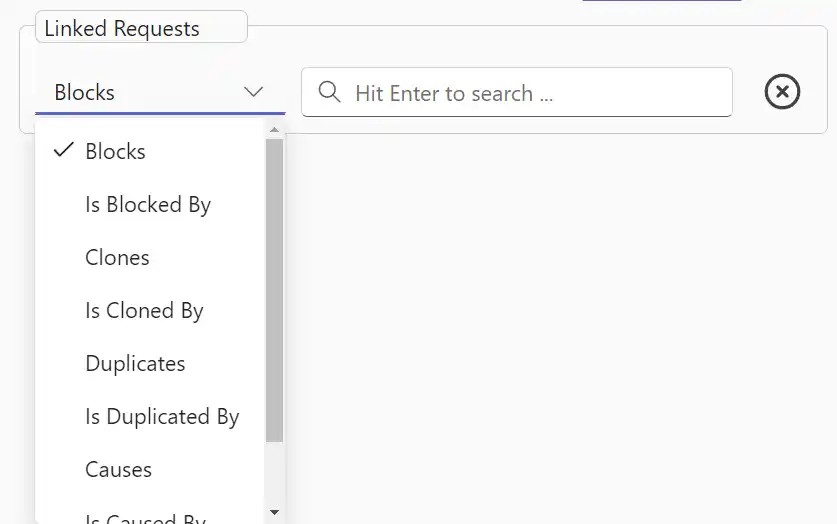
Each linked entry shows key information for quick reference: relationship type, ticket ID, subject, request type, assignee, and status.
Why use linked tickets?
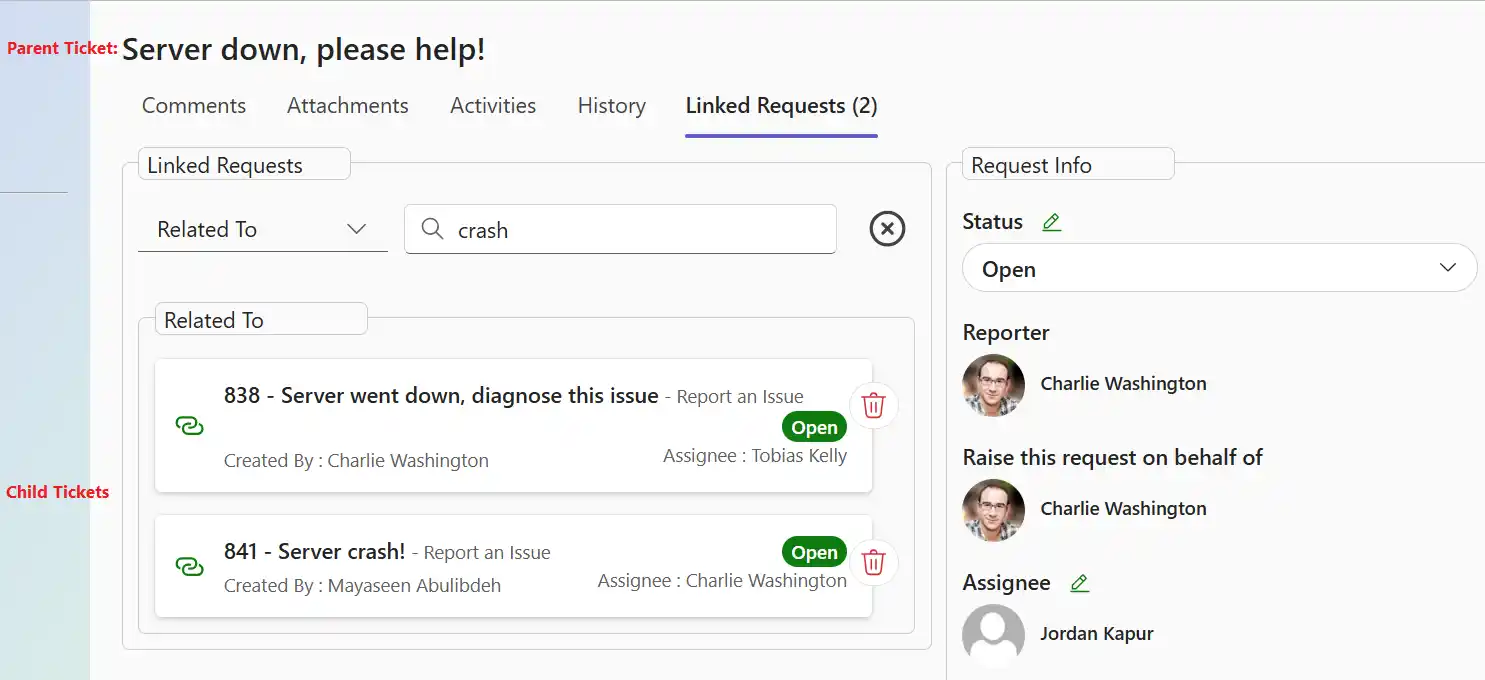
Use case 1: Related to
When many requests report the same incident (for example, a server outage), create one parent ticket and link child tickets to it. This centralizes resolution and communication.
You can add child-ticket assignees as watchers on the parent ticket so they receive updates and can notify requesters once the issue is resolved.
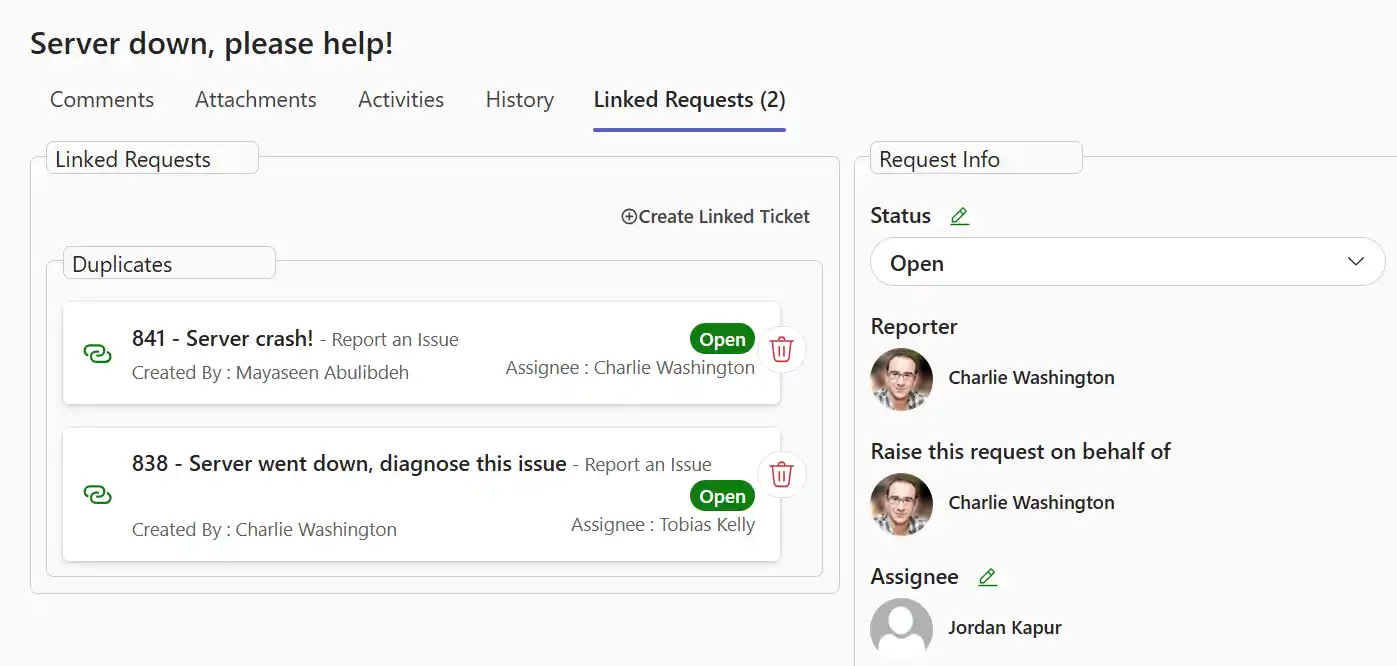
Use case 2: Duplicate / is duplicated by
You can also handle repeated issues with duplicate links without creating a separate parent ticket. Assign one of the linked tickets to the primary resolver and keep the rest connected for tracking.
Use case 3: Clone / is cloned by
Cloning is useful when similar ticket structures must be handled by different teams, such as new-employee onboarding. It saves time by reusing ticket data instead of manually recreating the same details.
This helps distribute work across multiple agents, improve accountability, and reduce overall resolution time.
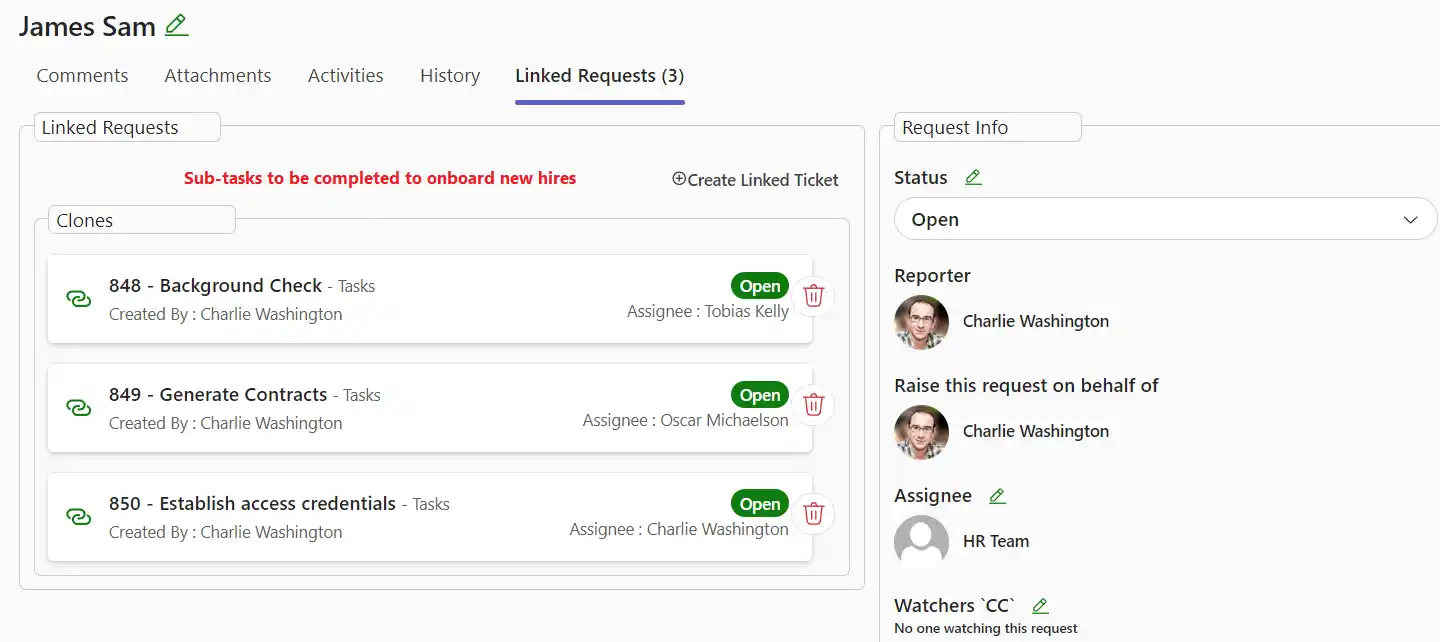
Use case 4: Cause / is caused by
If a customer support ticket is triggered by an already-known bug ticket, use cause/is caused by links to connect both records and keep root-cause tracking clear.
Use case 5: Block / is blocked by
For dependent work, create separate tickets and link them using block/is blocked by. This helps agents understand order of execution and monitor prerequisites before starting their tasks.
Linked tickets still remain independent, and users need proper permissions on related issues. You can remove links anytime using the delete option beside the linked ticket.