SteadyPoint

Update Guide

How to Update SteadyPoint SharePoint Helpdesk for New Features

The process of updating SharePoint helpdesk is simple and straight forward, the system will install the latest version that is published on Microsoft Store. In this guide, we’ll walk you through the steps to ensure your SharePoint help desk is updated properly.

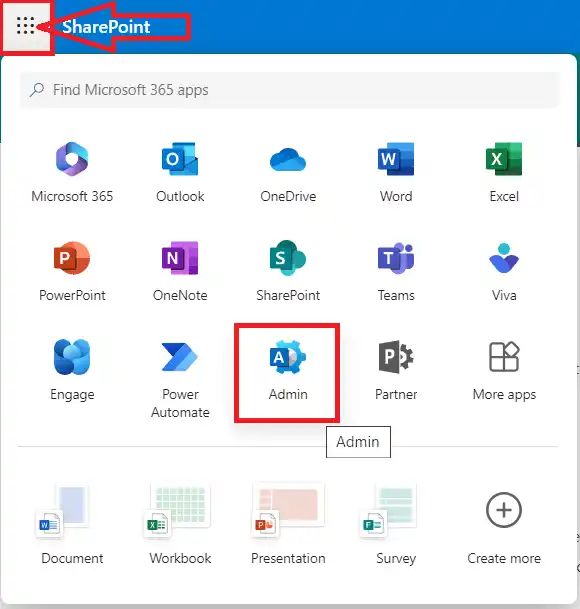
  1. Open the Microsoft Admin Center.
    SteadyPoint Helpdesk screen showing how to update steadypoint sharepoint helpdesk for new features.
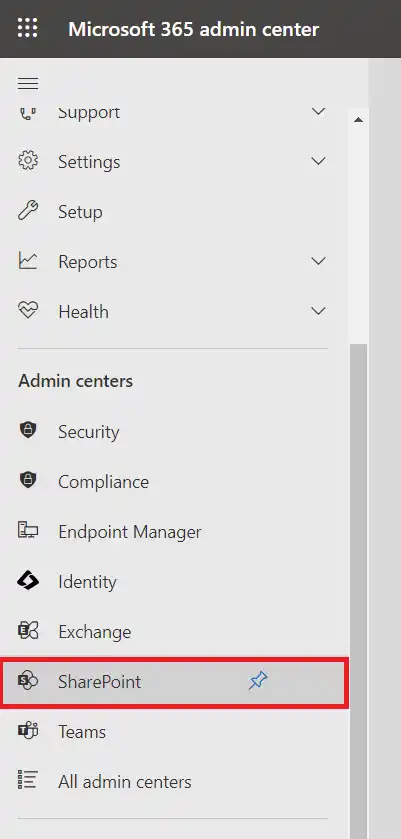
  2. Open the SharePoint Admin Center.
    SteadyPoint Helpdesk screen showing how to update steadypoint sharepoint helpdesk for new features.
  3. Click on More Features and then select Open Apps.
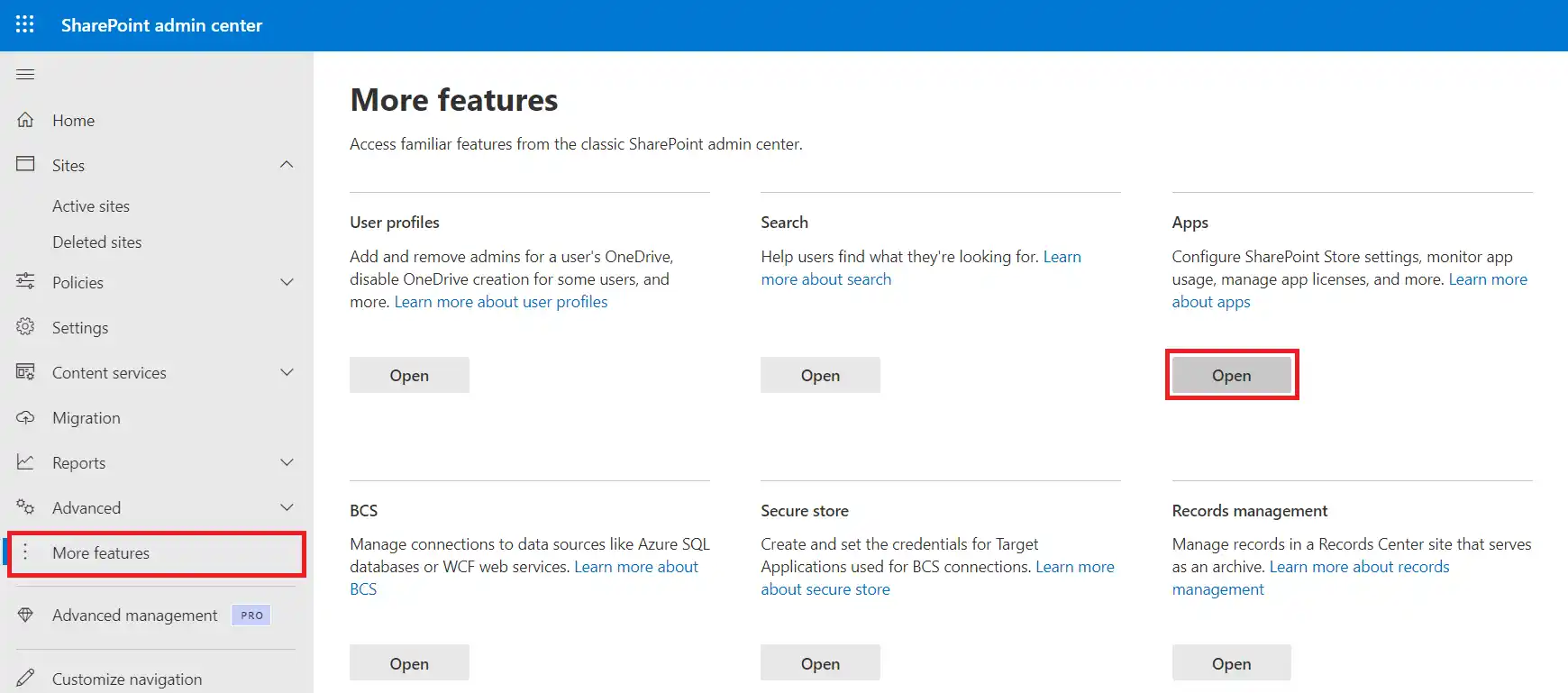
    SteadyPoint Helpdesk screen showing how to update steadypoint sharepoint helpdesk for new features.
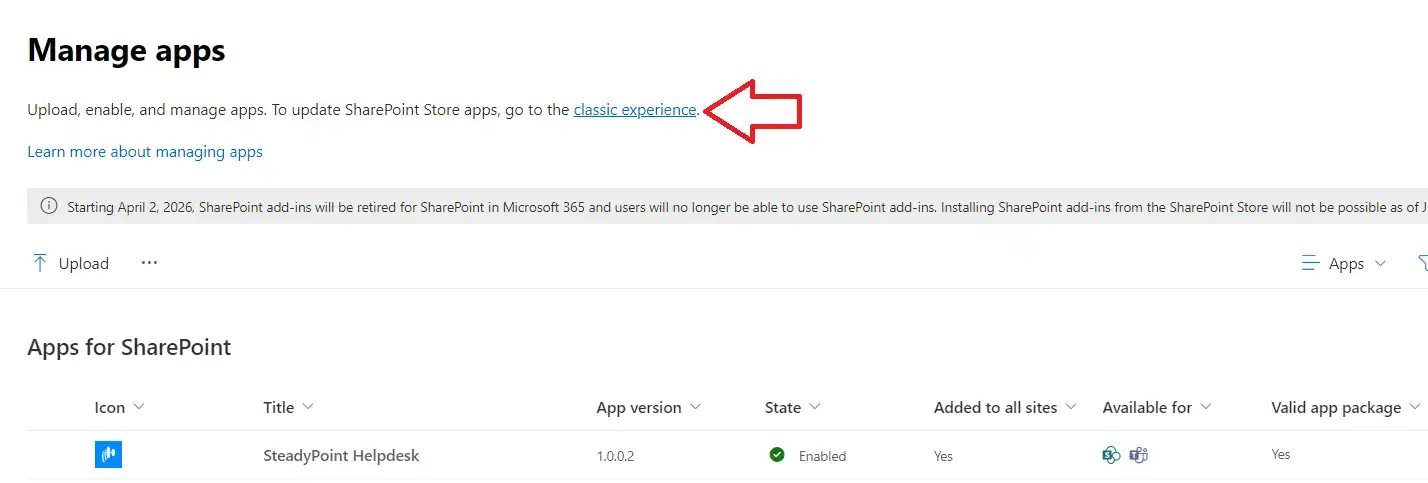
  4. Click on Classic Experience.
    SteadyPoint Helpdesk screen showing how to update steadypoint sharepoint helpdesk for new features.
  5. Click on Files, then Mark Our App, and click on Upgrade Store App.
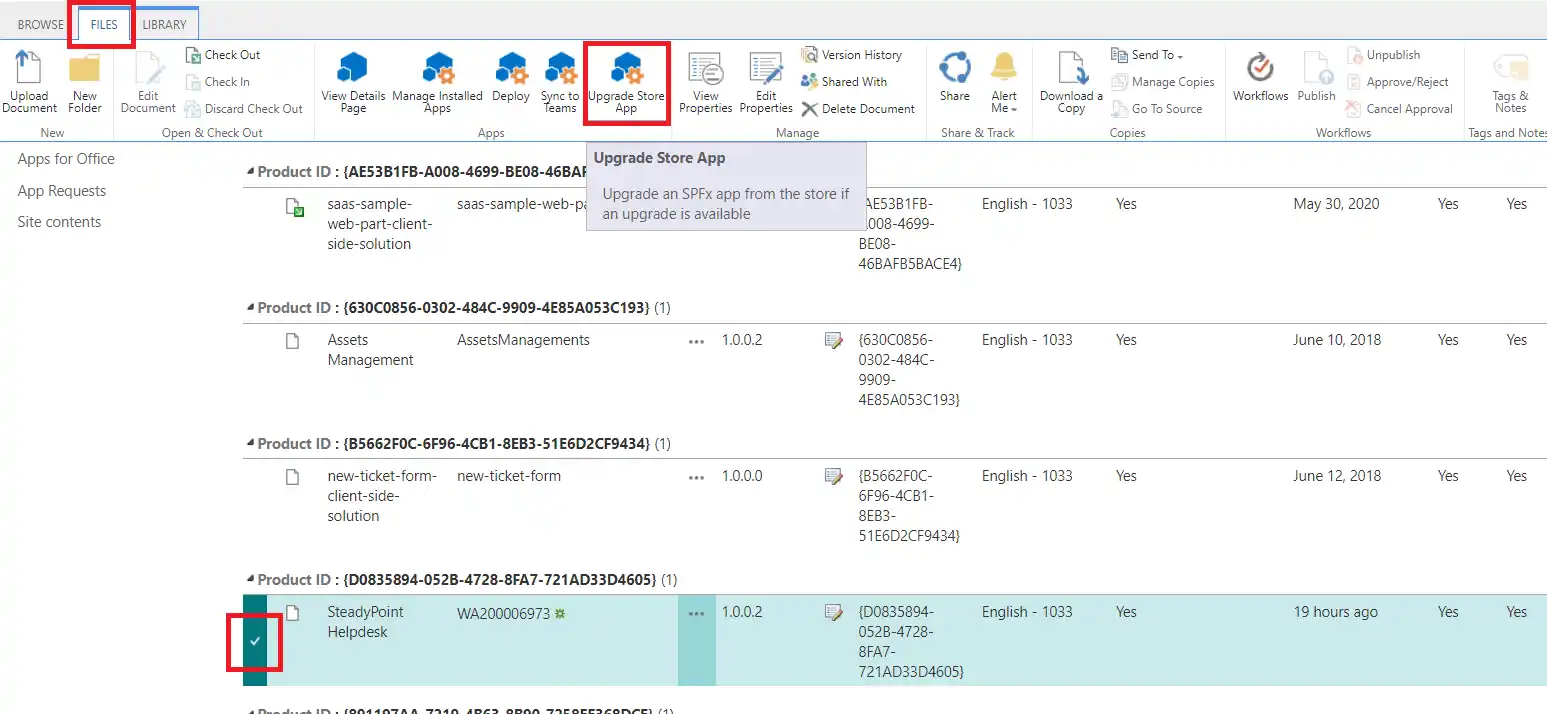
    SteadyPoint Helpdesk screen showing how to update steadypoint sharepoint helpdesk for new features.
  6. Check the box next to "Make this solution available to all sites in the organization", and then click Deploy.
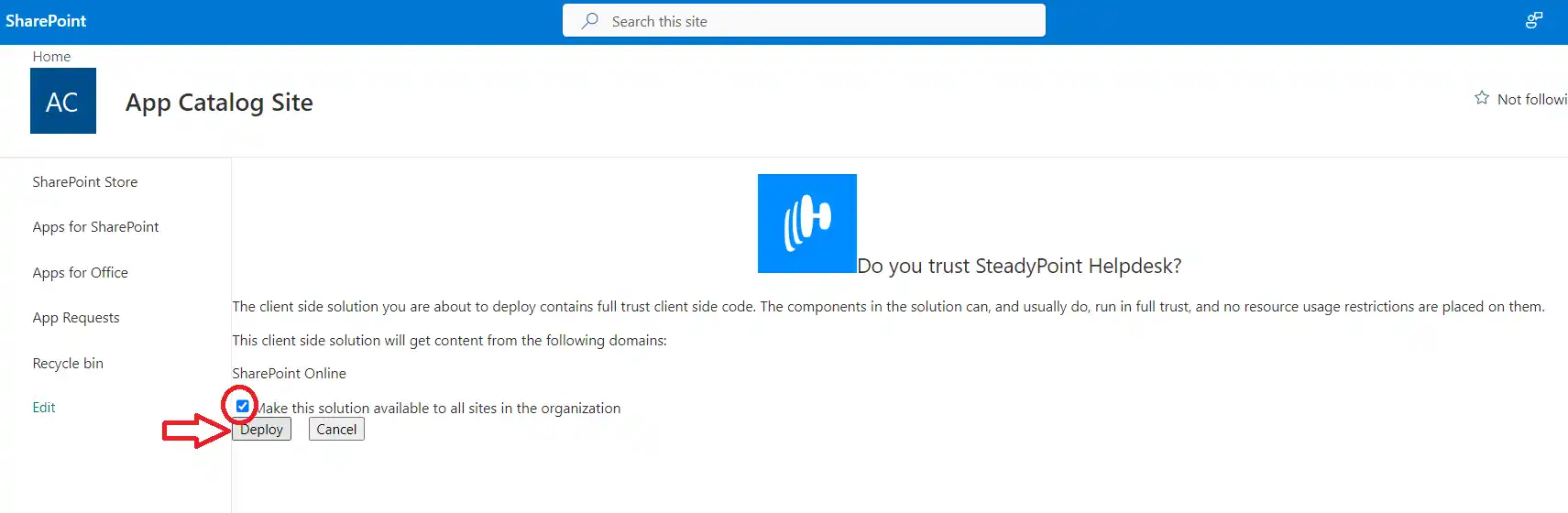
    SteadyPoint Helpdesk screen showing how to update steadypoint sharepoint helpdesk for new features.

Continue Exploring

Keep reading, see product details, or talk to our team.