
If your organization already runs on Microsoft 365 (still widely known as Office 365), you may not need a separate platform to manage IT and internal support. SharePoint, Teams, Microsoft Lists, Power Automate, and Power Apps can all support helpdesk operations, and several ready-made products are built specifically for them.
So if you are looking for a Zendesk alternative for Microsoft 365, which option actually fits? Below are six worth considering, from a ready-made SharePoint helpdesk to a fully custom build. For a broader look at tenant-native vs. standalone SaaS, see SharePoint Helpdesk vs. Standalone SaaS and Standalone Helpdesk SaaS vs. Tenant-Native Apps.
How We Ranked Them
The ranking reflects overall fit for organizations that want to replace Zendesk while staying close to Microsoft 365. We looked at five things: where ticket data is stored, how deeply the tool works with SharePoint and Teams, how quickly you can deploy it, and how much maintenance it needs afterward.
Microsoft 365 Helpdesk Solutions at a Glance
| # | Solution | Best for | Ticket data | Teams | Pricing model |
|---|---|---|---|---|---|
| 1 | SteadyPoint Helpdesk | Ready-made SharePoint + Teams helpdesk | Your Microsoft 365 tenant (SharePoint) | Yes | Flat annual, from $900/year |
| 2 | Desk365 | Teams-first IT ticketing | Desk365 cloud (confirm) | Teams-focused | Per agent, $12 to $32/month (annual) |
| 3 | Helpdesk 365 | AI-assisted Microsoft 365 ticketing | Your Microsoft 365 tenant (SharePoint lists) | Yes | Starting at $19.99 per user/month |
| 4 | Plumsail HelpDesk | SharePoint-based helpdesk | Your SharePoint Online tenant | Integration available | Monthly or annual, based on agent tier |
| 5 | Crow Canyon NITRO Help Desk | ITSM and advanced customization | Your Microsoft 365 / SharePoint environment | Yes | Annual package pricing, from $3,588/year |
| 6 | Lists + Power Automate + Power Apps | DIY and fully custom builds | Your Microsoft 365 tenant | Build it yourself | Existing licenses plus build time |
Why Look for a Zendesk Alternative for Microsoft 365?
Zendesk is a strong platform, and for large customer-facing teams that need chat, phone, social, and messaging in one place, it is still a sensible choice. But for internal IT and employee support inside a Microsoft shop, teams often run into the same issues.
Per-agent pricing adds up. Published annual plans run from $19 per agent per month (Support Team) to $55 (Suite Team) and $115 (Suite Professional). A 10-agent team on Suite Team pays about $6,600 a year before any add-ons.
The base seat is not the full bill. AI features such as Copilot are sold as add-ons at around $50 per agent per month, and AI resolutions beyond the included allowance are metered.
Your data lives in another environment. Tickets, users, and automation sit inside Zendesk and connect back to Microsoft through integrations, rather than living in the tenant you already secure and manage. Some compliance and data-location options are tied to higher-priced tiers.
It is one more platform to run. Separate identity setup, separate admin console, and separate automation rules alongside the Power Automate flows you already use.
A Microsoft 365-based Office 365 helpdesk can reduce some of that overhead, particularly when your users, identity, automation, and collaboration tools already run in Microsoft 365. Microsoft even ships an IT Help Desk SharePoint template with ticket and device tracking, FAQs, and documents as a starting point. Beyond that, you can either buy a ready-made helpdesk or build your own with Microsoft tools.
Zendesk vs. a Microsoft 365 Helpdesk
| Zendesk | Microsoft 365 helpdesk | |
|---|---|---|
| Where it runs | Separate SaaS platform | Inside SharePoint and Teams (or alongside them) |
| Identity | Own accounts or SSO integration | Existing Microsoft 365 identity |
| Data location | Zendesk's environment | Your tenant (SharePoint-based options) |
| Automation | Zendesk's own rules engine | Power Automate, shared with the rest of your business |
| Pricing | Per agent, plus add-ons and AI usage | Varies: flat, per agent, or existing licenses |
| Best fit | Large-scale, customer-facing omnichannel support | Internal IT, HR, and finance support in Microsoft 365 |
1. SteadyPoint Helpdesk
Best for: Organizations that want a ready-made SharePoint and Teams helpdesk with ticket data kept inside their Microsoft 365 environment.
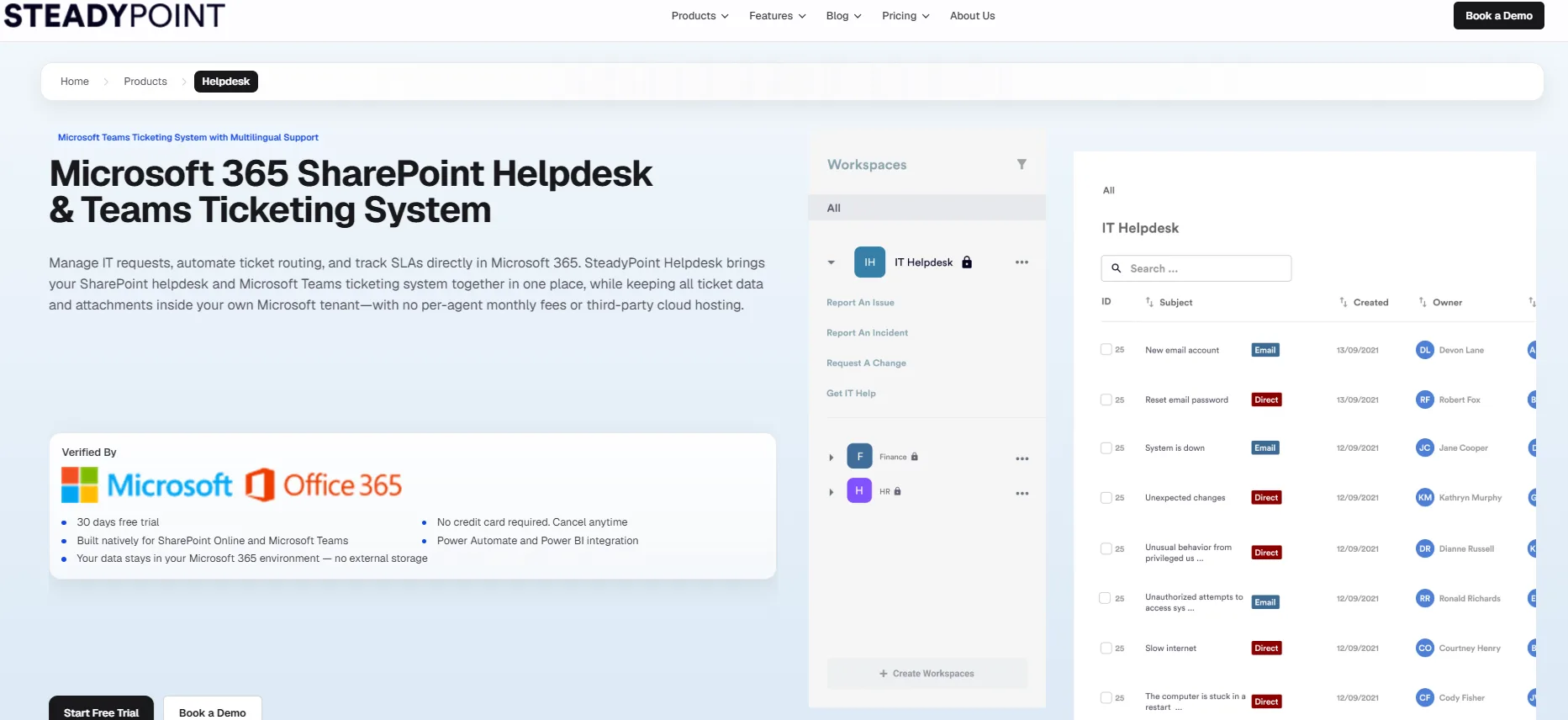
SteadyPoint is a SharePoint-based ticketing system for Microsoft 365. It runs on SharePoint Online and Microsoft Teams, so your team gets a working Office 365 ticketing system without building forms, flows, and SLAs from scratch.
Key Features
- SharePoint and Microsoft Teams ticketing
- Email-to-ticket
- Custom forms and no-code workflows
- SLA tracking, reminders, and escalations
- Knowledge base
- Power Automate and Power BI integration
- AI-assisted ticket summaries and resolution suggestions
Pros
- Ticket data and attachments stay in your own Microsoft 365 tenant, under the permissions and compliance controls you already manage
- Flat annual pricing (from $900 per year), so adding agents does not add per-seat cost.
- Works out of the box: forms, SLAs, workflows, and knowledge base without a SharePoint developer
- ITIL-aligned and HIPAA-compliant, which shortens security reviews in regulated industries
Cons
- Less flexible than a fully custom Power Platform build
- Focused on internal support rather than large omnichannel customer service operations
Ideal for: Microsoft 365 organizations, especially in healthcare, government, and other regulated sectors, that want a complete helpdesk without a development project.
2. Desk365
Best for: Teams-first organizations that want employees to raise and track tickets without leaving Microsoft Teams.
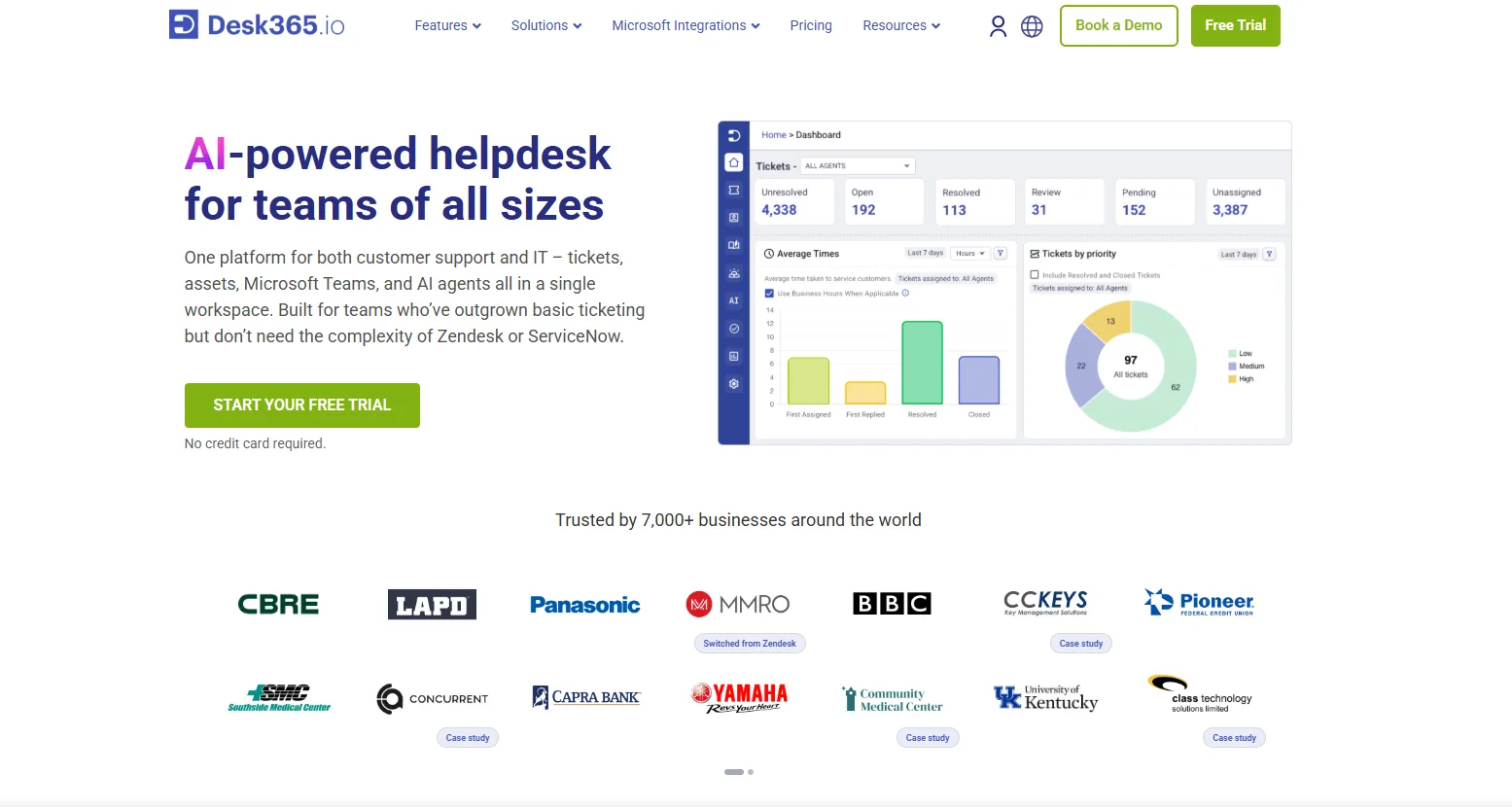
Desk365 is a cloud-based helpdesk with a strong Teams experience. Its Support Bot lets employees create and track tickets, reply to agents, and add attachments inside Teams, and it also supports email, a support portal, and web forms.
Key Features
- Ticketing inside Microsoft Teams
- Email-to-ticket, support portal, web form, and widget
- Workflow automation, SLA reminders, and escalations
- Knowledge base and canned responses
- Power Automate connector
- Higher tiers add Entra ID sync and AI reply drafting (Plus), and asset management (Premium)
Pros
- Strong Teams-focused experience
- Low entry price: $12 per agent per month on Standard, with a free plan for up to 50 tickets a month and a 21-day trial
- Only agents are billed; end users who submit tickets are unlimited
Cons
- Runs as its own cloud platform, so ticket data is not stored in your SharePoint or Microsoft 365 tenant
- Per-agent pricing still scales with headcount (Plus is $22 and Premium is $32 per agent per month)
- Approvals, AI drafting, asset management, and PII/PHI encryption controls sit on higher tiers
Ideal for: Teams-heavy organizations that value the conversational Teams experience over keeping ticket data inside their own tenant.
3. Helpdesk 365
Best for: Organizations that want AI-assisted ticket handling across Teams, Outlook, and SharePoint.
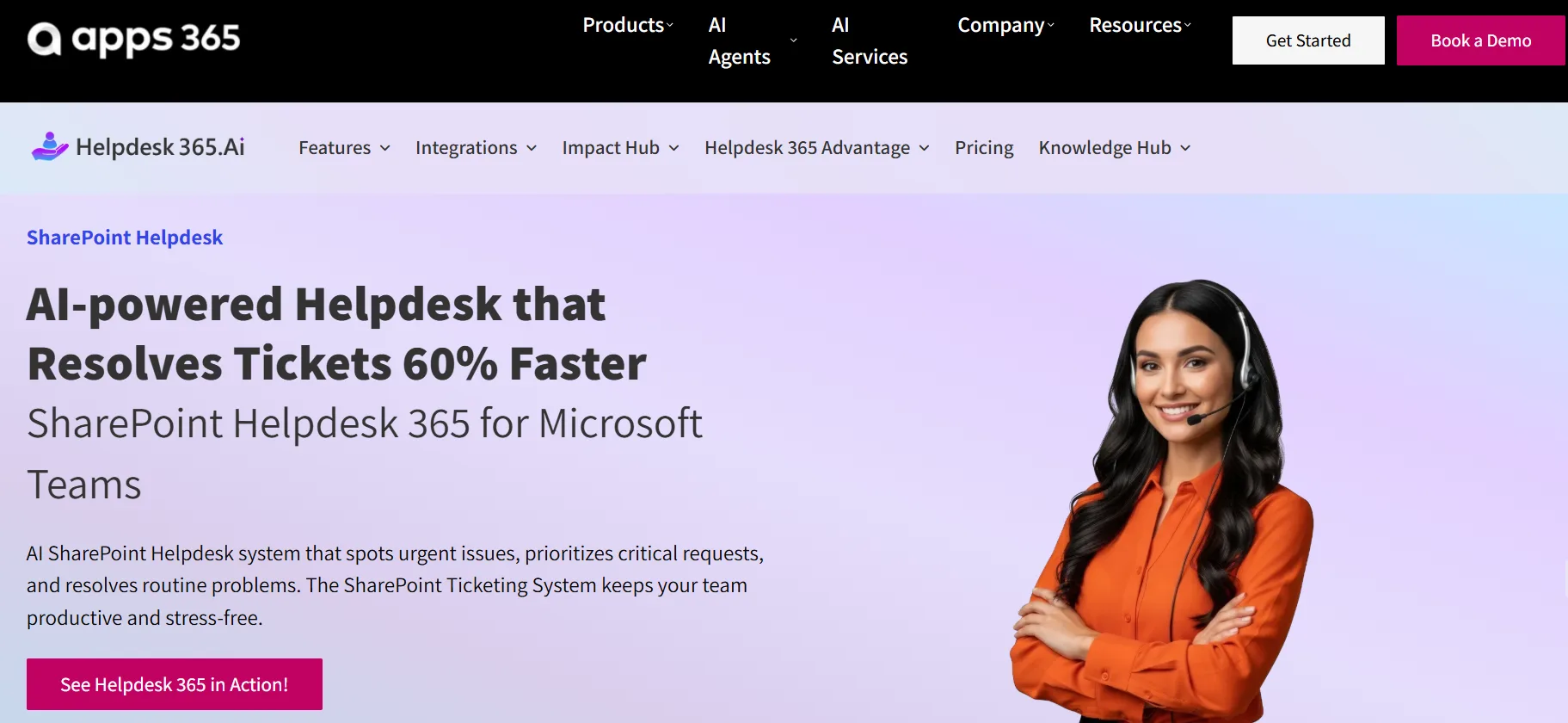
Helpdesk 365 (from Apps365) is built for SharePoint and Microsoft 365. Employees can raise tickets from Teams, email, or a SharePoint page, and AI reads incoming requests, categorizes them, and routes them to the right agent or team.
Key Features
- Ticket creation from Teams, Outlook, and SharePoint
- AI-based categorization, prioritization, and routing
- SLA policies with automatic escalation
- Canned responses and CSAT surveys
- Azure DevOps and Azure Active Directory integration
- Support for GCC and GCC High tenants
Pros
- Works across Teams, Outlook, and SharePoint at once, not just one channel
- AI routing cuts down manual ticket sorting
- GCC and GCC High support matters for government buyers
Cons
- A richer automation layer usually means more configuration
- Review licensing and data architecture against your own requirements
Ideal for: Organizations that want AI and automation to reduce manual ticket handling and are comfortable configuring it.
4. Plumsail HelpDesk
Best for: Organizations that want a helpdesk that feels like a natural extension of SharePoint.
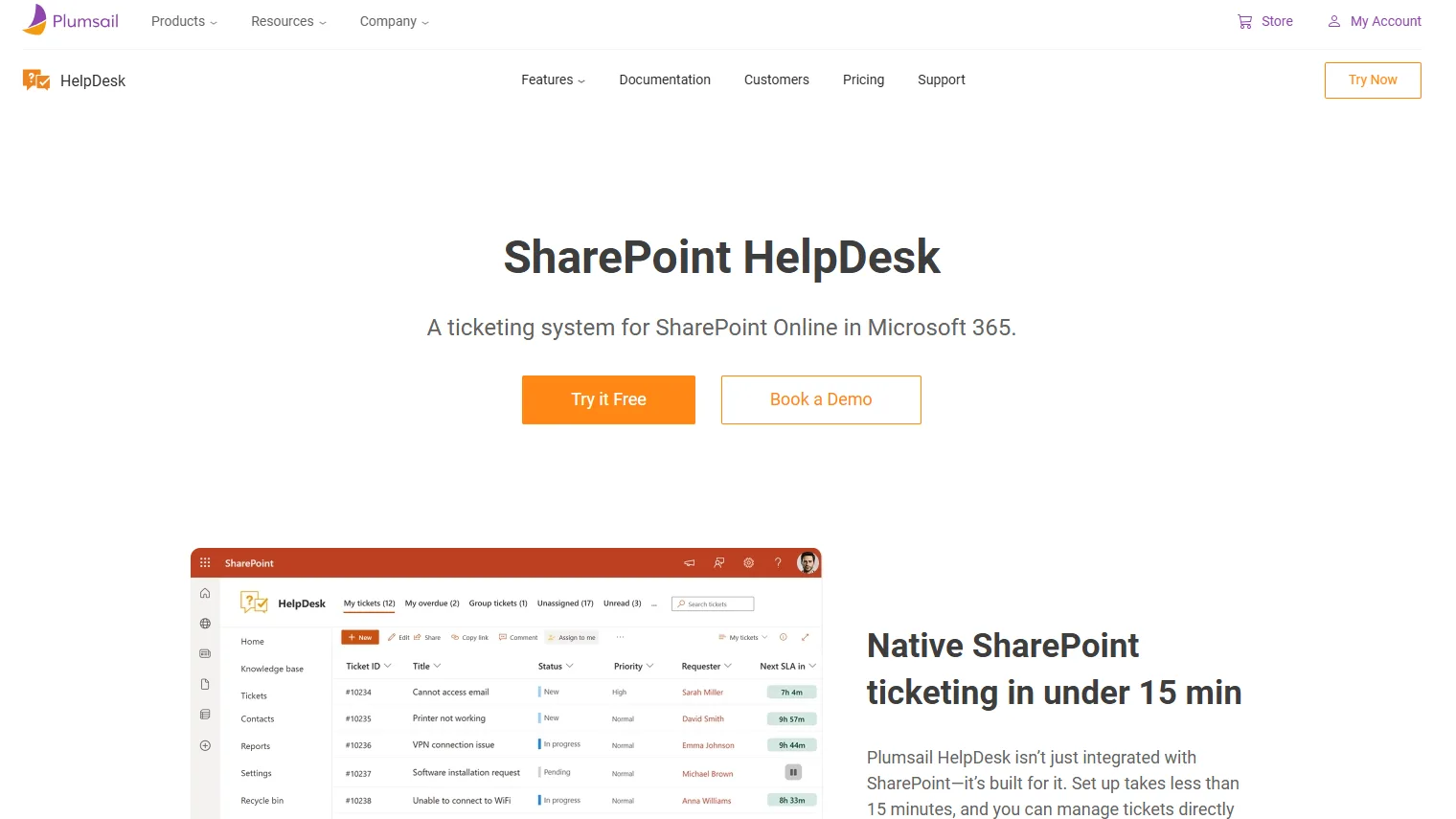
Plumsail HelpDesk is an established SharePoint-based ticketing tool. Agents manage tickets through SharePoint's own menus, which keeps retraining to a minimum.
Key Features
- Ticket management inside native SharePoint menus
- Email-to-ticket through Outlook or a custom SMTP server
- Configurable SLA rules and automation triggers
- Built-in reporting
- Copilot-powered AI assistant for agents
- Public widget so external users can submit and track requests without a SharePoint login
Pros
- Familiar SharePoint experience with very little retraining
- Designed for fast setup on SharePoint Online
- Public-facing widget suits teams that also support external requesters
Cons
- More SharePoint-focused than Teams-focused
- Some advanced customization may need additional tools
Ideal for: SharePoint-centric organizations that want tickets to live where their intranet and documents already are.
5. Crow Canyon NITRO Help Desk
Best for: Larger IT teams with structured ITSM requirements and the capacity to configure a more complex system.
Crow Canyon has built Microsoft 365 and SharePoint applications for more than 25 years. NITRO Help Desk runs on Microsoft 365, Teams, and SharePoint, and it is built on NITRO Studio, a low-code engine for forms and workflows.
Key Features
- Incident, problem, and change management
- SLA and escalation rules with automated routing
- Requests from email, Teams, SharePoint, and portals
- NITRO Studio for custom forms, workflows, and reports
- Asset management as a companion application
- AI agents for routing, summarization, and sentiment analysis, plus NITRO Copilot for self-service
Pros
- Broad ITSM functionality and extensive customization options
- Long track record with government, education, and enterprise customers
- Asset context can sit alongside tickets
Cons
- Steeper learning curve; many teams need a SharePoint admin or consultant to get the most from it
- More than smaller teams usually need
Ideal for: Larger IT departments that need formal service management and advanced customization.
6. Microsoft Lists + Power Automate + Power Apps
Best for: Organizations that want to build their own solution.
Microsoft Lists can hold ticket data, Power Automate can handle notifications and approvals, and Power Apps can provide a custom interface. Microsoft's IT Help Desk SharePoint template is a good starting point. For CRM-driven customer service, Microsoft also offers Dynamics 365 Customer Service, but it is far more than an internal IT helpdesk needs.
Key Features
- Custom ticket lists with fields such as requester, priority, status, and category
- Automated notifications, assignments, and approvals
- Custom forms and Power Apps interfaces
- Custom reporting
Pros
- Uses Microsoft tools you may already own, with no new vendor
- Fully customizable, with complete control over the design
Cons
- You build and maintain it yourself
- SLAs, routing, escalation, and reporting have to be developed, and grow more complex over time
Ideal for: Small teams with simple requirements, or organizations with strong Power Platform skills.
How to Choose a Zendesk Alternative
Before you decide, ask these questions:
- Data: Where are tickets and attachments stored, and does that meet your compliance needs?
- Microsoft 365 fit: Is the tool built around SharePoint and Teams, or only integrated with them?
- Ticket intake: Can users submit requests from Teams, email, and a portal?
- Automation: Can assignments, reminders, and escalations run automatically?
- SLAs and reporting: Can you track response and resolution targets and see workloads?
- Pricing:Flat rate, per agent, or Microsoft licensing? Model your team at its planned size, not just today's.
- Maintenance: How much development will your team need after launch?
Need Help Choosing?
Not sure whether to build a Microsoft 365 helpdesk or choose a ready-made solution? Our Microsoft 365 helpdesk team can review your support process, users, workflows, data requirements, and Microsoft 365 environment before you commit to an approach.
The Bottom Line
The right Zendesk alternative depends on how closely you want your helpdesk tied to Microsoft 365.
- SteadyPoint if you want a ready-made SharePoint and Teams helpdesk with flat pricing and ticket data in your own tenant.
- Desk365 if Teams-first ticketing matters more than where the data is stored.
- Helpdesk 365 if AI-assisted routing and automation are the priority.
- Plumsail if you want the helpdesk to feel like part of SharePoint.
- Crow Canyon if you need broad ITSM functionality and have the team to manage it.
- Lists, Power Automate, and Power Apps if your needs are simple or you have strong Power Platform skills.
The key question is not which helpdesk has the most features. It is which one fits your Microsoft 365 environment, support process, and data requirements.
Frequently Asked Questions
Is there a Microsoft 365 alternative to Zendesk?
Yes. You can build one with Microsoft Lists, Power Automate, and Power Apps, or choose a ready-made solution such as SteadyPoint, Desk365, Helpdesk 365, Plumsail, or Crow Canyon.
What is a SharePoint ticketing system?
A SharePoint ticketing system is a helpdesk that stores and manages support tickets in SharePoint, usually with Teams and email as ways to submit requests. Because tickets live in your own Microsoft 365 environment, they follow the permissions and security controls you already use.
What is an Office 365 ticketing system?
An Office 365 ticketing system is a helpdesk built to work with Microsoft 365 (formerly Office 365) tools such as SharePoint, Teams, Outlook, and Power Automate. Some run inside SharePoint, while others, like Desk365, run as a separate cloud service connected to Microsoft 365.
Can SharePoint be used as a helpdesk?
Yes. Microsoft provides an IT Help Desk SharePoint template, and dedicated SharePoint helpdesk applications add ticketing, automation, SLA tracking, and reporting.
Which Office 365 helpdesk should you choose?
It depends on your priorities. A SharePoint-based option like SteadyPoint suits teams that want a ready-made system with data in their own tenant, Desk365 suits Teams-first teams, and Crow Canyon suits larger IT departments that need advanced ITSM.
Is Microsoft Teams a ticketing system?
Not on its own, but it can be the main interface for one. Dedicated helpdesk applications let employees and agents create and manage tickets from Teams.
Is a SharePoint helpdesk cheaper than Zendesk?
Often, especially as your team grows, because Zendesk charges per agent plus add-ons. Compare total cost including licenses, add-ons, implementation, and administration, not just the subscription price.
Should I build or buy a Microsoft 365 helpdesk?
Build one if your requirements are simple and you have the skills to maintain it. Choose a ready-made solution if you need advanced helpdesk features without taking on the development work.